Does Fast Charging Damage Batteries?

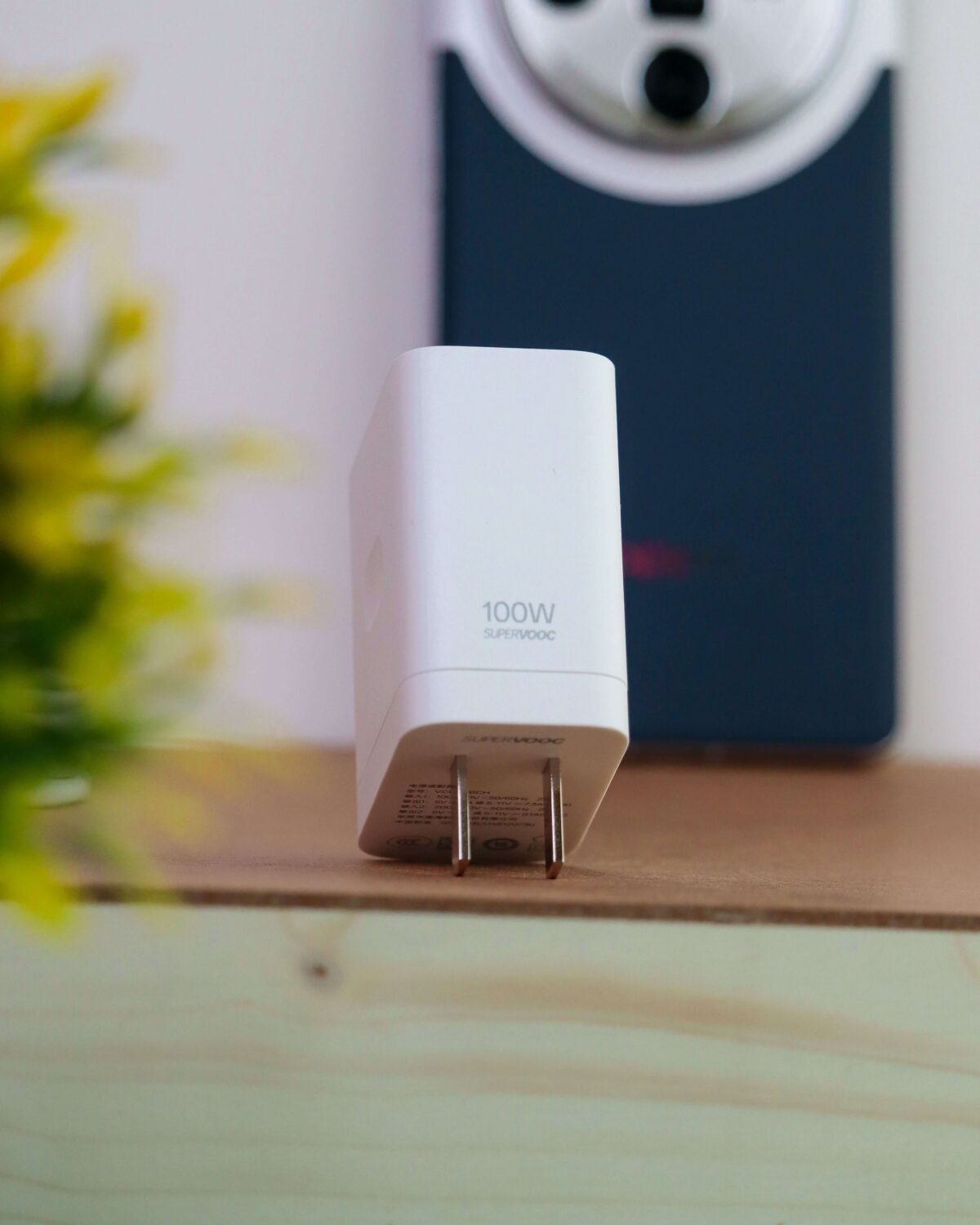
Modern lithium-ion batteries are engineered to support fast charging with a certified fast charger through controlled voltage, temperature regulation, and smart power distribution. Damage does not come from fast charging itself, but from heat, poor charging habits, low-quality charging equipment, or an uncertified fast charger.

Understanding how battery chemistry reacts to energy flow is essential for improving lifespan and performance without sacrificing speed. 

Does Fast Charging Damage Batteries

Fast charging does not damage batteries when using a certified fast charger and modern smartphones because built-in systems regulate heat, voltage, and charging speed to protect battery health and lifespan.

Fast charging is safe because smartphones regulate power automatically. Battery degradation is mainly caused by heat exposure, overcharging habits, and cheap accessories rather than charging speed itself.

How Fast Charging Works in Modern Smartphones

Fast charging increases electrical power delivery during the early charging stage when the battery is most receptive. Instead of maintaining constant voltage, the system adjusts output dynamically based on battery capacity levels.

The charging process follows a staged curve. It delivers higher energy at low percentages and gradually reduces power as the battery approaches full charge. This prevents stress on lithium-ion cells and avoids overvoltage damage.

Advanced battery management systems monitor temperature in real time, ensuring safe charging conditions. If heat increases beyond safe thresholds, the system automatically reduces charging speed to protect internal components.

Do fast chargers damage batteries?

In practical use, the answer is no. Modern devices are designed to handle rapid charging cycles safely without reducing battery integrity in the short term.

However, all lithium-ion batteries naturally degrade over time due to electrochemical reactions. The key factor influencing this process is heat, not charging speed alone.

When heat is controlled, fast charging has minimal effect on battery lifespan. When heat is uncontrolled due to poor environment or accessories, degradation accelerates.

Heat Impact on Battery Longevity

Heat is the most critical factor affecting battery life. When internal temperature rises, chemical reactions inside the battery accelerate, leading to reduced capacity over time.

Fast charging may slightly increase heat output, but modern devices counter this using thermal sensors, heat dispersion layers, and adaptive charging algorithms.

To preserve battery health, it is essential to avoid charging in enclosed spaces, direct sunlight, or while running high-performance applications.

Fast Charging Safety Technology Explained

Modern smartphones include multiple safety layers that regulate fast charging performance. These include voltage controllers, current limiters, and temperature monitoring chips.

These systems communicate continuously with the fast charger to ensure only the required amount of power is delivered at each stage. This prevents overheating and reduces long-term wear on battery cells.

This is why certified fast charging systems are significantly safer than generic or counterfeit alternatives.

Battery Lifespan and Charging Cycles

A lithium-ion battery typically lasts between 300 and 800 full charge cycles depending on usage conditions. A charge cycle refers to using 100% of the battery capacity, not necessarily in one charge session.

Fast charging does not reduce the number of cycles directly. Instead, battery lifespan is influenced by how frequently the battery is exposed to high heat or deep discharge levels.

Consistent exposure to extreme charge levels (0% or 100%) increases stress on the battery structure and accelerates capacity loss.

Common Misconceptions About Fast Charging

A widespread myth is that fast charging permanently damages batteries. In reality, modern charging systems are engineered with protection protocols that prevent unsafe energy delivery. The online claim “fast charging damages batteries” oversimplifies the issue by ignoring the dominant role of heat and component quality.

Another misconception is that leaving a phone plugged in overnight causes damage. Most modern devices stop active charging at full capacity and switch to maintenance mode to prevent overcharging.

It is also incorrectly believed that fast charging causes battery explosions. Such incidents are extremely rare and are usually linked to damaged batteries or uncertified accessories rather than charging speed itself.

How to Extend Battery Life While Using Fast Charging

Battery lifespan can be improved by maintaining moderate charging habits. Keeping battery levels between mid-range percentages reduces stress on lithium-ion cells.

Avoiding constant high-temperature exposure is equally important, as heat accelerates internal degradation faster than charging speed.

Using a certified fast charger and quality accessories ensures stable power delivery, reducing risks associated with voltage fluctuations.

Disabling unnecessary background processes during charging also helps reduce heat generation, improving overall battery stability.

When a battery reaches the end of its lifecycle, responsible disposal becomes essential. Proper battery recycling ensures harmful materials are safely processed, while professional battery recycling services support environmental sustainability and resource recovery.

Fast Charging Technologies Used Today

Fast charging systems vary by manufacturer but operate under the same principle of controlled energy delivery. Technologies such as USB Power Delivery, adaptive charging systems, and proprietary fast charge protocols all regulate voltage intelligently.

These systems continuously communicate between the charger and device to optimise energy flow based on battery condition and temperature.

Industry standards regulated by the USB Implementers Forum ensure compatibility and safety across devices and accessories.

When Fast Charging Becomes Harmful

Fast charging becomes problematic only under abnormal conditions. Using counterfeit chargers, a damaged cable, or an unregulated adapter can result in unstable current flow; likewise, a counterfeit fast charger increases risk.

Charging in high-temperature environments increases internal stress and reduces battery efficiency over time.

Older batteries with reduced capacity may also struggle with high-speed charging, requiring slower charging methods for stability and safety.

Future Improvements in Battery Charging Technology

Battery technology is evolving toward higher efficiency and longer lifespan. Innovations such as solid-state batteries and graphene-enhanced energy cells aim to reduce heat generation while increasing charging speed.

Artificial intelligence is also being integrated into battery systems to predict usage behaviour and optimise charging patterns automatically.

These advancements will further reduce concerns about fast charging and improve long-term battery sustainability.

Fast charging does not damage batteries for certified devices

The evidence shows that it does not cause direct harm when used with certified devices and proper charging habits.

Battery degradation is primarily influenced by heat, poor accessories, and long-term usage patterns rather than charging speed itself. Modern smartphones are designed with intelligent systems that protect battery health during fast charging cycles.

Responsible charging habits combined with proper recycling practices ensure both longer device lifespans and reduced environmental impact. For end-of-life batteries, proper battery recycling and professional battery recycling services play an important role in sustainability and safe material recovery.
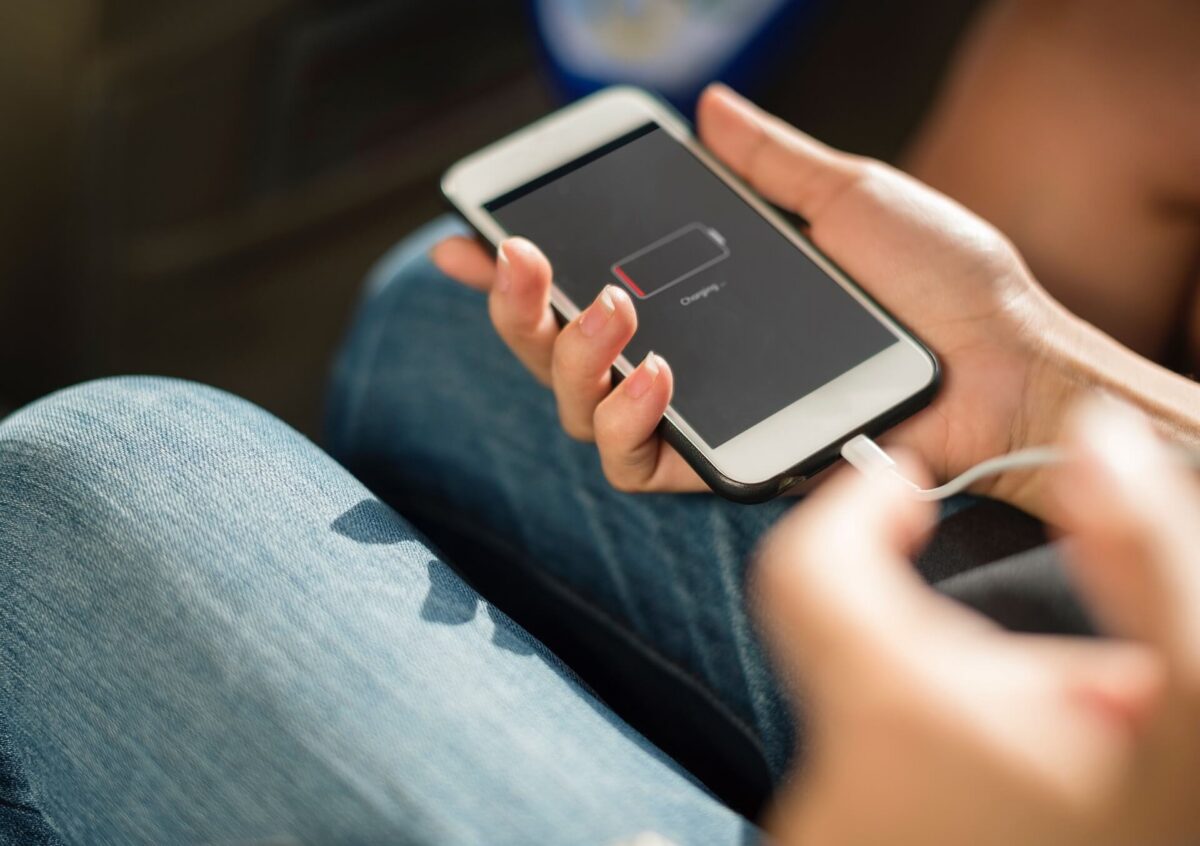
How To Extend Battery Life: 15 Proven Tips

Extended battery life is achieved by reducing display brightness, managing background activity, limiting location services, and using low-power settings to minimise battery drain and improve battery health.

Learning how to extend battery life helps reduce battery drain, improve battery health, and increase battery lifespan across smartphones, tablets, and laptops without affecting daily performance. If you’re looking for ‘how to extend battery life: 15 proven tips’, this guide delivers practical, device-agnostic advice and clear tips on how to extend battery life.

15 Proven Optimised Methods to Extend Battery Life

1. Optimise Display Brightness and Auto Adjustment

High screen brightness is one of the fastest ways to drain battery power. Adjusting display brightness manually or enabling auto brightness reduces unnecessary energy use while maintaining visibility in changing lighting conditions.

2. Activate Low Power Mode for Efficiency

When you enable low power mode, system performance is reduced slightly to prioritise essential functions. This significantly lowers background processing and helps extend battery life during heavy usage periods.

3. Disable Background App Refresh

Apps updating in the background continuously consume battery power even when not active. Turning off background app refresh reduces hidden energy usage and improves long-term battery health.

4. Control Location Tracking in Privacy Settings

Location services constantly use GPS signals (for example, in Settings > Privacy > Location Services). Limiting or turning off location tracking for non-essential apps reduces battery drain and improves efficiency.

5. Use Wi‑Fi Network Instead of Mobile Data

A stable Wi‑Fi network consumes less battery power compared to mobile data, especially in weak signal areas. This helps reduce device strain and supports consistent battery performance and savings.

6. Enable Airplane Mode in Low Signal Conditions

Turning on airplane mode prevents the device from searching for unstable networks. This eliminates unnecessary battery drain caused by continuous signal scanning.

7. Reduce Notification Frequency

Excess notifications activate the screen repeatedly, increasing energy consumption. Adjusting notification settings helps reduce interruptions and preserves battery life throughout the day.

8. Update System Software Regularly

Installing updates via Settings > General > Software Update improves system optimisation. Updates often include background improvements that enhance battery performance and fix inefficiencies.

9. Limit Background Data Usage

Restricting background data ensures apps only refresh when actively opened. This reduces silent battery usage and improves overall device efficiency.

10. Reduce Screen Timeout Duration

Shortening screen timeout ensures the display turns off quickly when idle. Since the display is a major energy consumer, this adjustment helps significantly extend battery life.

11. Disable Unused Wireless Functions

Bluetooth, hotspot, and other wireless features consume energy even when idle. Turning them off when not needed improves battery power efficiency and reduces drain.

12. Avoid Constant High-Performance Mode

High-performance settings increase processor speed and battery consumption. Using balanced mode instead helps maintain smoother energy usage and supports battery longevity.

13. Manage Home Screen Activity

Widgets and live updates on the home screen continuously refresh data. Reducing them decreases background processing and supports saving battery life effectively.

14. Maintain Healthy Charging Habits

Avoid letting the battery fully discharge or stay at 100% for long periods. Keeping charge between moderate levels supports better battery health and slows long-term degradation.

15. Improve Battery Sustainability Practices

Proper usage and disposal habits are part of responsible energy management. Learning about battery recycling awareness supports environmental sustainability and reduces the impact of electronic waste.

Advanced Battery Optimisation Insights

Battery performance is not only affected by settings but also by temperature control, app optimisation, and network stability. Keeping devices cool, closing heavy apps, and staying connected to a stable Wi‑Fi network improve overall efficiency and reduce unnecessary battery drain.

How To Extend Battery Life?

Depending on optimising display brightness, disabling background activity, controlling location services, and using low-power settings to reduce battery drain and improve battery lifespan, together, these habits support extended battery life over time.

What Does Low Battery Mode Do?

What Low Battery Mode Does

Low Battery Mode is a power-saving feature that reduces energy consumption by limiting background activities, lowering display brightness, reducing visual effects, and optimising device performance. It helps extend battery life, preserve battery level, and keep smartphones, tablets, and laptops running longer when charging is not immediately available.

When Should You Use Low Battery Mode?

Low Battery Mode is most useful when your battery percentage is dropping quickly, or when you know you will not have access to a charger for several hours. Many users activate it during travel, long workdays, outdoor activities, or emergencies.

It can also be beneficial when using older devices that experience faster battery drain. Enabling Low Battery Mode early can help maintain a stable battery level throughout the day rather than waiting until the battery becomes critically low.

Does Low Battery Mode Charge Your Battery Faster?

A common misconception is that Low Battery Mode charges a device faster. While it does not directly increase charging speed, it reduces power consumption while charging. Because fewer system resources are being used, the battery may appear to recover more efficiently compared to charging while running power-intensive applications.

For the fastest charging experience, use an approved charger, avoid gaming during charging, and keep the device in a cool environment.

Does Low Battery Mode Affect Performance?

Most users notice little difference during everyday tasks. However, some devices may slightly reduce processing speed to conserve energy. This change is usually only noticeable when running demanding applications such as video editing software, high-performance games, or intensive multitasking workloads.

For routine activities such as messaging, browsing, email, and phone calls, Low Battery Mode typically provides a seamless experience while improving overall battery efficiency.

Low Battery Mode and Battery Health

Battery health refers to a battery’s ability to hold its original charge capacity over time. Although Low Battery Mode cannot reverse battery ageing, it may help reduce unnecessary power consumption and heat generation.

Excessive heat is one of the leading causes of lithium-ion battery degradation. By lowering system demands, Low Battery Mode can contribute to cooler operating temperatures and support long-term battery performance.

Users interested in improving battery lifespan can also learn more about battery life management and responsible battery care practices.

Devices That Support Low Battery Mode

Today, most major operating systems include some form of battery-saving technology. Smartphones, tablets, smartwatches, laptops, and even some electric vehicles use intelligent power management systems.

Although the feature may have different names depending on the manufacturer, the purpose remains the same: reducing energy consumption to maximise operating time between charges.

Signs You Should Enable Low Battery Mode

Certain warning signs indicate that activating Low Battery Mode may be beneficial. If your battery percentage drops rapidly, the device feels unusually warm, or you expect extended periods without charging access, enabling power-saving features can help conserve remaining capacity.

Monitoring the battery icon regularly can help users identify when battery-saving measures are needed before performance becomes affected.

Common Myths About Low Battery Mode

Several myths surround Low Battery Mode. Some people believe it damages batteries, permanently slows devices, or should only be used below 20% charge. None of these claims are accurate.

Modern operating systems are designed to manage power efficiently, and Low Battery Mode is a manufacturer-supported feature intended to improve usability and extend battery runtime whenever required.

Why Battery Management Matters

Good battery management affects both convenience and device longevity. Frequent deep discharges, excessive heat exposure, and poor charging habits can shorten battery lifespan over time.

Using features such as Low Battery Mode, reducing display brightness when appropriate, and following sensible charging practices can help maintain consistent performance and reduce the need for premature battery replacement. 

Low Battery Mode is a built-in power-saving feature that helps extend battery life by reducing energy consumption across your device. It works by lowering display brightness, limiting background activity, reducing visual effects, shortening auto lock times, and optimising system performance. These adjustments help preserve battery level and keep your device running longer when charging is not available.

Whether you are travelling, working remotely, or facing a low battery during the day, Low Battery Mode provides a simple way to reduce battery drain and improve efficiency. Combined with good charging habits and proper battery care, it can help maximise battery lifespan and maintain reliable device performance over time.

How Long Should a Phone Battery Last?

A phone battery is one of the most important components of a smartphone, providing the power needed to run apps, make calls, browse the internet, and perform everyday tasks. Most modern devices use lithium-ion batteries, which are designed to deliver reliable battery life for several years before their capacity begins to decline. Understanding how long a phone battery should last can help users maintain good battery health, improve performance, and maximise phone battery lifespan for their device.

How Long Should a Phone Battery Last?

A phone battery should typically last between two and five years, depending on how often the device is used, charging habits, and overall battery health. Most modern smartphones use lithium-ion batteries designed to retain around 80% of their original capacity after several hundred charge cycles. While daily battery life may vary based on screen brightness, apps, and network usage, how long your phone battery lasts between charges will differ from person to person. As the battery ages, it will gradually hold less charge, resulting in shorter battery life and more frequent phone charges. Proper care can help extend overall phone battery lifespan and delay the need to replace the battery.

What Percentage of Battery Health Is Considered Good?

Battery health indicates how much capacity remains compared to when the battery was new, and it is a useful indicator of phone battery lifespan.

As a general guide:

Battery Health

Condition

100%–90% – Excellent

89%–80% – Good

79%–70% – Fair

Below 70% – Poor

Most users notice reduced battery life when battery health falls below 80%. At this point, the phone may require more frequent charging and may not last a full day on a single charge.

Why Do Lithium-Ion Batteries Degrade?

All lithium-ion batteries experience chemical ageing. Each charge and discharge cycle causes small changes within the battery cells. Over time, these changes reduce the amount of energy the battery can store.

Several factors accelerate degradation:

  • High operating temperatures

  • Frequent fast charging

  • Keeping the battery at 100% for extended periods

  • Deep discharging to 0%

  • Heavy processor-intensive applications

Reducing exposure to these conditions can help preserve battery health, maintain performance, and support longer phone battery lifespan.

Does 5G Affect Battery Life?

Modern 5G networks provide faster data speeds, but they can increase power consumption in some situations.

When a phone frequently switches between 4G and 5G networks, additional battery power may be used. This is particularly noticeable in areas with weaker signal coverage. In practical terms, how long your phone battery lasts on 5G can depend on both coverage and device settings.

Users concerned about battery life can often switch to 4G mode when ultra-fast speeds are unnecessary.

Can Software Updates Improve Battery Performance?

Many software updates include battery optimisation improvements. Manufacturers regularly release updates that improve power management, reduce background activity, and optimise app performance. Over time, these refinements can enhance efficiency and support better phone battery lifespan.

Keeping your operating system up to date can help improve efficiency and ensure the phone uses power more effectively.

How Battery Capacity Affects Daily Usage

Battery capacity is measured in milliamp-hours (mAh). In general, larger battery capacities provide longer usage times between charges.

Typical smartphone battery capacities include:

Capacity

Typical Usage

3,000–4,000mAh

Moderate daily use

4,000–5,000mAh

Full-day usage

5,000mAh+

Extended battery life

Battery capacity alone does not determine performance. Software efficiency, display technology, and processor design also influence how long a device lasts between phone charges. Ultimately, capacity influences how long a phone battery lasts between charges, but real-world endurance depends on the whole system.

Common Battery Myths

Many battery myths continue to circulate despite advances in smartphone technology.

One common misconception is that users should always let a battery drain completely before charging. Modern lithium-ion batteries do not require this practice and generally perform better when maintained above very low charge levels.

Another myth is that all overnight charging damages batteries. Most smartphones now include intelligent charging systems that help protect battery health during extended charging periods. Day-to-day habits have a much larger effect on phone battery lifespan than occasional overnight charging.

Responsible Battery Disposal

When a battery reaches the end of its service life, proper recycling is essential. Discarding batteries with general household waste can create environmental and safety risks.

Consumers should use professional battery recycling services to ensure valuable materials are recovered responsibly. Businesses and organisations handling larger volumes of batteries can also benefit from specialist battery disposal services that comply with UK environmental regulations.

Expert Tips to Extend Battery Lifespan

Maintaining long-term battery performance does not require complicated routines. Consistent habits often make the biggest difference.

Keep devices cool whenever possible, avoid prolonged exposure to direct sunlight, and remove unnecessary applications running in the background. Using Wi-Fi instead of mobile data when available can also reduce energy consumption.

Combining these practices helps improve battery life, reduces wear on battery cells, and delays the need to replace the battery, ultimately supporting longer phone battery lifespan. If you often search for ‘phone battery last’ tips, start with the basics above.