What Low Battery Mode Does
Low Battery Mode is a power-saving feature that reduces energy consumption by limiting background activities, lowering display brightness, reducing visual effects, and optimising device performance. It helps extend battery life, preserve battery level, and keep smartphones, tablets, and laptops running longer when charging is not immediately available.
When Should You Use Low Battery Mode?
Low Battery Mode is most useful when your battery percentage is dropping quickly, or when you know you will not have access to a charger for several hours. Many users activate it during travel, long workdays, outdoor activities, or emergencies.
It can also be beneficial when using older devices that experience faster battery drain. Enabling Low Battery Mode early can help maintain a stable battery level throughout the day rather than waiting until the battery becomes critically low.
Does Low Battery Mode Charge Your Battery Faster?
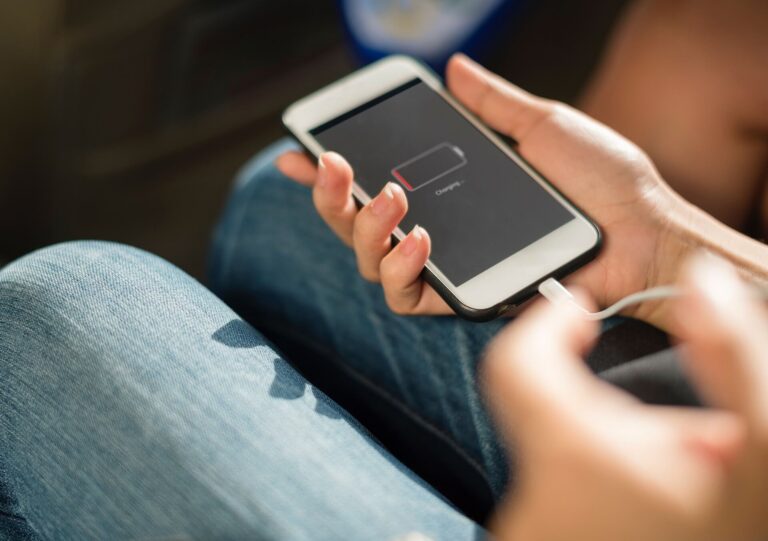
A common misconception is that Low Battery Mode charges a device faster. While it does not directly increase charging speed, it reduces power consumption while charging. Because fewer system resources are being used, the battery may appear to recover more efficiently compared to charging while running power-intensive applications.
For the fastest charging experience, use an approved charger, avoid gaming during charging, and keep the device in a cool environment.
Does Low Battery Mode Affect Performance?
Most users notice little difference during everyday tasks. However, some devices may slightly reduce processing speed to conserve energy. This change is usually only noticeable when running demanding applications such as video editing software, high-performance games, or intensive multitasking workloads.
For routine activities such as messaging, browsing, email, and phone calls, Low Battery Mode typically provides a seamless experience while improving overall battery efficiency.
Low Battery Mode and Battery Health
Battery health refers to a battery’s ability to hold its original charge capacity over time. Although Low Battery Mode cannot reverse battery ageing, it may help reduce unnecessary power consumption and heat generation.
Excessive heat is one of the leading causes of lithium-ion battery degradation. By lowering system demands, Low Battery Mode can contribute to cooler operating temperatures and support long-term battery performance.
Users interested in improving battery lifespan can also learn more about battery life management and responsible battery care practices.
Devices That Support Low Battery Mode
Today, most major operating systems include some form of battery-saving technology. Smartphones, tablets, smartwatches, laptops, and even some electric vehicles use intelligent power management systems.
Although the feature may have different names depending on the manufacturer, the purpose remains the same: reducing energy consumption to maximise operating time between charges.
Signs You Should Enable Low Battery Mode
Certain warning signs indicate that activating Low Battery Mode may be beneficial. If your battery percentage drops rapidly, the device feels unusually warm, or you expect extended periods without charging access, enabling power-saving features can help conserve remaining capacity.
Monitoring the battery icon regularly can help users identify when battery-saving measures are needed before performance becomes affected.
Common Myths About Low Battery Mode
Several myths surround Low Battery Mode. Some people believe it damages batteries, permanently slows devices, or should only be used below 20% charge. None of these claims are accurate.
Modern operating systems are designed to manage power efficiently, and Low Battery Mode is a manufacturer-supported feature intended to improve usability and extend battery runtime whenever required.
Why Battery Management Matters
Good battery management affects both convenience and device longevity. Frequent deep discharges, excessive heat exposure, and poor charging habits can shorten battery lifespan over time.
Using features such as Low Battery Mode, reducing display brightness when appropriate, and following sensible charging practices can help maintain consistent performance and reduce the need for premature battery replacement.
Low Battery Mode is a built-in power-saving feature that helps extend battery life by reducing energy consumption across your device. It works by lowering display brightness, limiting background activity, reducing visual effects, shortening auto lock times, and optimising system performance. These adjustments help preserve battery level and keep your device running longer when charging is not available.
Whether you are travelling, working remotely, or facing a low battery during the day, Low Battery Mode provides a simple way to reduce battery drain and improve efficiency. Combined with good charging habits and proper battery care, it can help maximise battery lifespan and maintain reliable device performance over time.