Why Do Batteries Leak?

Batteries leak when internal chemical reactions become unstable, causing electrolyte materials to escape from the battery casing. This problem commonly happens because of ageing, incorrect storage, extreme temperatures, or damage to the battery structure. If you wonder why batteries leak, this overview explains the main causes and what to do when a battery leak occurs.

Battery leakage can affect many everyday devices, including remote controls, toys, cameras, laptops, and industrial equipment. When leaking batteries are ignored, chemicals can damage electrical parts and create safety concerns. Understanding the reasons behind battery leakage helps users prevent expensive repairs and handle batteries correctly.

Batteries are prone to leaking when they become old, damaged, overheated, or incorrectly used. Chemical changes inside the battery can create pressure, allowing substances such as potassium hydroxide or other electrolytes to escape. Proper storage, correct installation, and responsible disposal can significantly reduce the risk of leaks.

Why Do Batteries Leak?

Battery leakage occurs because batteries rely on chemical reactions to create electrical energy. Inside most batteries, the electrolyte allows ions to move between internal components. Over time, these materials can break down, causing corrosion, pressure changes, and leaks.

The type of battery also affects how leakage happens. For example, alkaline batteries are widely used in household devices and contain potassium hydroxide, which can escape when the battery seal fails. Although this chemical is useful for generating power, it can damage electronic components when released.

Lithium batteries work differently and are generally designed with stronger protection systems, but they can still fail if they are damaged, overheated, or exposed to incorrect charging conditions.

Common Causes of Battery Leakage

Old Batteries Are More Prone to Leaking

One of the main reasons batteries leak is age. As batteries remain unused or continue operating beyond their recommended lifespan, the internal chemicals slowly degrade. The protective seals may weaken, allowing electrolyte materials to escape.

Leaving old batteries inside devices for long periods increases the chance of corrosion. This is especially common with seasonal items such as holiday decorations, emergency equipment, and rarely used electronics.

Checking expiry dates and replacing older batteries before they fail can prevent unnecessary damage.

Incorrect Storage Can Cause Battery Leakage

The way people store batteries has a major impact on their condition. Batteries exposed to moisture, direct sunlight, or high temperatures may deteriorate faster.

To reduce the risk of leaks, store batteries in a cool and dry location away from metal objects that could create accidental contact. Keeping batteries in their original packaging also helps protect the terminals.

Many users forget that unused batteries still undergo slow chemical changes. Proper storage is important even when batteries are not installed in a device.

Temperature Changes Affect Battery Safety

Extreme temperatures can increase the likelihood of battery problems. Heat speeds up chemical reactions inside batteries and may create pressure that forces gases and liquids through weak areas.

Cold temperatures can also affect battery performance by reducing chemical activity. Moving batteries repeatedly between very hot and cold environments may shorten their lifespan.

Avoid storing batteries in vehicles, near heating equipment, or in areas exposed to strong sunlight.

Battery Damage and Manufacturing Problems

Physical damage can cause batteries to leak by breaking the protective outer casing. Dropping, crushing, or puncturing a battery may create openings where chemicals escape.

Some batteries may also experience internal defects caused during manufacturing. While uncommon, these failures can result in swelling, overheating, or leakage.

Never use batteries that appear damaged, swollen, rusty, or unusually hot.

How Battery Leakage Damages Devices

When a battery leaks, the released chemicals can damage the metal contacts and internal circuits of electronic devices. Over time, corrosion can prevent electricity from flowing correctly, causing devices to stop working or operate inconsistently.

The effects of battery leakage depend on how long the battery remains inside the device. A small leak discovered quickly may only require cleaning, while a long-term leak can permanently damage expensive equipment.

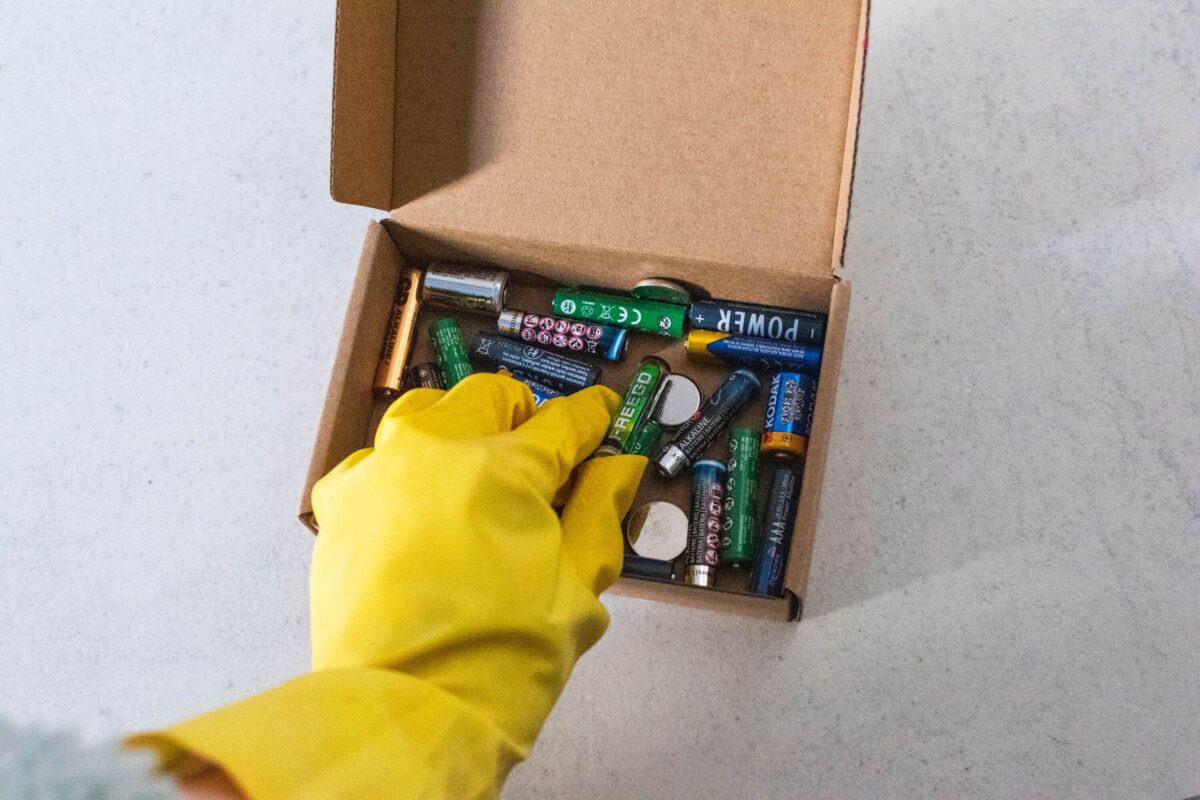
For a minor battery leak in household devices, the affected area can often be cleaned carefully. Use protective gloves and remove the battery before cleaning the compartment. A small amount of lemon juice or vinegar may help neutralise alkaline residue, while baking soda mixed with water can assist with cleaning certain battery corrosion. Always follow manufacturer guidance before applying any cleaning method.

When cleaning battery compartments, use cotton swabs to carefully remove residue from small areas without spreading chemicals to other components.

What Chemicals Come Out of Leaking Batteries?

Different battery types contain different chemical materials. Understanding these substances helps explain why battery leakage should be handled carefully.

Traditional alkaline batteries usually contain potassium hydroxide, a strong alkaline electrolyte that can cause skin irritation and damage electronic components. When this material escapes, it may leave a white, powdery residue around the battery terminals.

Some batteries may release gases during failure. In certain situations, damaged rechargeable batteries can produce hydrogen gas or other gases due to internal chemical reactions. This is why swollen, overheating, or damaged batteries should never be used.

Lithium batteries require extra care because they contain reactive materials and can become dangerous if punctured, overheated, or incorrectly charged. Signs of lithium battery failure may include swelling, unusual heat, smoke, or a chemical smell.

How to Prevent Battery Leakage

Preventing battery leakage starts with correct battery use and storage habits. Simple steps can protect devices and improve battery performance.

Always use the recommended battery type for each device. Avoid mixing old and new batteries because different power levels can cause uneven discharge and increase stress on the batteries.

When storing batteries, keep them in a dry location away from extreme temperatures. If you plan not to use a device for several months, remove the batteries to prevent possible corrosion.

It is also important to inspect batteries regularly. Replace batteries that show signs of damage, rust, swelling, or leakage. Do not attempt to recharge batteries that are not designed for recharging.

Responsible disposal is another important step in preventing environmental damage. Batteries should not be placed in general household waste because they contain valuable materials and chemicals that require controlled processing. Businesses and households can arrange battery recycling to ensure used batteries are handled safely.

How to Clean a Battery Leak Safely

Cleaning a leaking battery requires careful handling. First, switch off the device and remove any power source. Wear gloves before touching the battery or leaked material.

Remove the damaged battery carefully and place it inside a sealed container or bag. Avoid touching your face or eyes while handling leaking batteries.

For alkaline battery residue, carefully clean the affected area using suitable materials and allow the compartment to dry completely before inserting new batteries.

If the device has significant corrosion or chemical damage, professional repair may be necessary. Do not continue using equipment that has been seriously affected by battery leakage.

Why Proper Battery Disposal Matters

Incorrect battery disposal can create environmental risks because batteries contain materials that need specialised recycling processes. Recycling helps recover useful materials while reducing harmful waste.

Using professional battery recycling services ensures batteries are collected and processed correctly. This approach supports safer waste management and reduces the impact of battery waste on the environment.

Businesses that handle large quantities of batteries should have clear procedures for collection, storage, and recycling to maintain safety standards.

Understanding why batteries leak helps users prevent damage, improve safety, and extend the lifespan of their devices. Battery leakage is usually caused by ageing, poor storage, incorrect use, temperature changes, or physical damage.

Regularly checking batteries, removing unused batteries from devices, and choosing the correct battery type can prevent many common problems. Safe handling and responsible recycling also help protect people, equipment, and the environment.

Q&A

Question: What are the main reasons batteries leak?

Short answer: Batteries leak when internal chemical reactions break down over time or under stress, creating pressure that forces electrolytes out through weakened seals. Ageing, incorrect storage, extreme temperatures, physical damage, and occasional manufacturing defects all increase the risk. Leaving old batteries in rarely used devices (like seasonal items) also raises the chance of corrosion and leakage.

Question: Do different battery types leak in different ways?

Short answer: Yes. Alkaline batteries often leak potassium hydroxide, which can leave a white, powdery residue and corrode electronics if the seal fails. Lithium batteries are generally better protected but can still fail—and become hazardous—if damaged, overheated, or improperly charged. Warning signs for lithium failures include swelling, unusual heat, smoke, or a chemical smell.

Question: How can I prevent battery leakage?

Short answer: Use the recommended battery type, avoid mixing old and new batteries, and store spares in a cool, dry place away from heat, sunlight, moisture, and metal objects—ideally in their original packaging. Remove batteries from devices you won’t use for months, inspect regularly for rust, swelling, or damage, and never try to recharge non-rechargeable batteries. Avoid exposing batteries to extreme temperature swings (for example, in vehicles or near heaters).

Question: What should I do if I find a leaking battery in a device?

Short answer: Switch off the device, wear gloves, and carefully remove the leaking battery into a sealed container or bag. For alkaline residue, gently clean the compartment using a small amount of lemon juice or vinegar; baking soda mixed with water can help with certain types of corrosion. Use cotton swabs to control where the cleaning solution goes, and let the area dry completely before inserting new batteries. Seek professional repair if corrosion is significant, and don’t continue using seriously affected equipment.

Question: Why does proper battery disposal and recycling matter?

Short answer: Batteries contain chemicals and valuable materials that require controlled processing. Improper disposal can harm the environment, while recycling reduces waste and recovers resources. Households and businesses should use professional battery recycling services and have clear procedures for safe collection, storage, and recycling.
Can Batteries Expire?

Understanding Battery Lifespan

The lifespan of a battery depends on factors such as the battery type, manufacturing date, storage conditions, and usage patterns. While some batteries can maintain power for many years, others may have a shorter shelf life due to higher discharge rates or repeated charging cycles. A battery’s expiration depends on the chemistry, manufacturing quality, storage, and usage habits that determine a battery’s lifespan in real-world conditions.

Understanding battery expiration dates helps households and businesses recognise when batteries need replacing, avoid device damage caused by leakage or swelling, and manage old batteries through responsible recycling methods.

Can Batteries Expire?

Yes, batteries expire because the chemical materials inside them gradually lose efficiency over time. Although a battery may still work after its recommended expiration date, it can provide less power, have reduced capacity, or become unsafe depending on its condition.

Every battery has a limited lifespan known as its calendar life, which refers to how long it remains effective from the manufacturing date, whether it is used regularly or stored. Factors such as temperature, storage conditions, battery type, and discharge rates all affect how quickly a battery loses performance.

Understanding battery expiration dates helps households and businesses avoid unexpected failures, protect devices, and manage battery waste responsibly.

Batteries can expire even when unused. Their internal chemicals slowly degrade, causing reduced performance over time. Proper storage in a cool, dry location can extend battery life, while heat, moisture, and incorrect handling can speed up deterioration.

Why Do Batteries Expire?

Batteries produce energy through chemical reactions between internal materials. Over time, these reactions become less effective, causing the battery to lose its ability to hold and deliver power. Some informal sources refer to this process as batteries expiation, though expiration is the correct term.

The ageing process begins from the moment a battery is manufactured. Even batteries kept in packaging experience gradual chemical changes. This means the time a battery remains useful depends on its design, materials, and storage environment.

Different battery technologies also age at different rates. For example, alkaline batteries usually have a long shelf life, while some rechargeable batteries may lose capacity faster because they are affected by repeated charging cycles.

How Long Do Different Battery Types Last?

Battery lifespan varies depending on the chemistry and intended use. Some batteries are designed for short-term household devices, while others are built for long-term industrial applications.

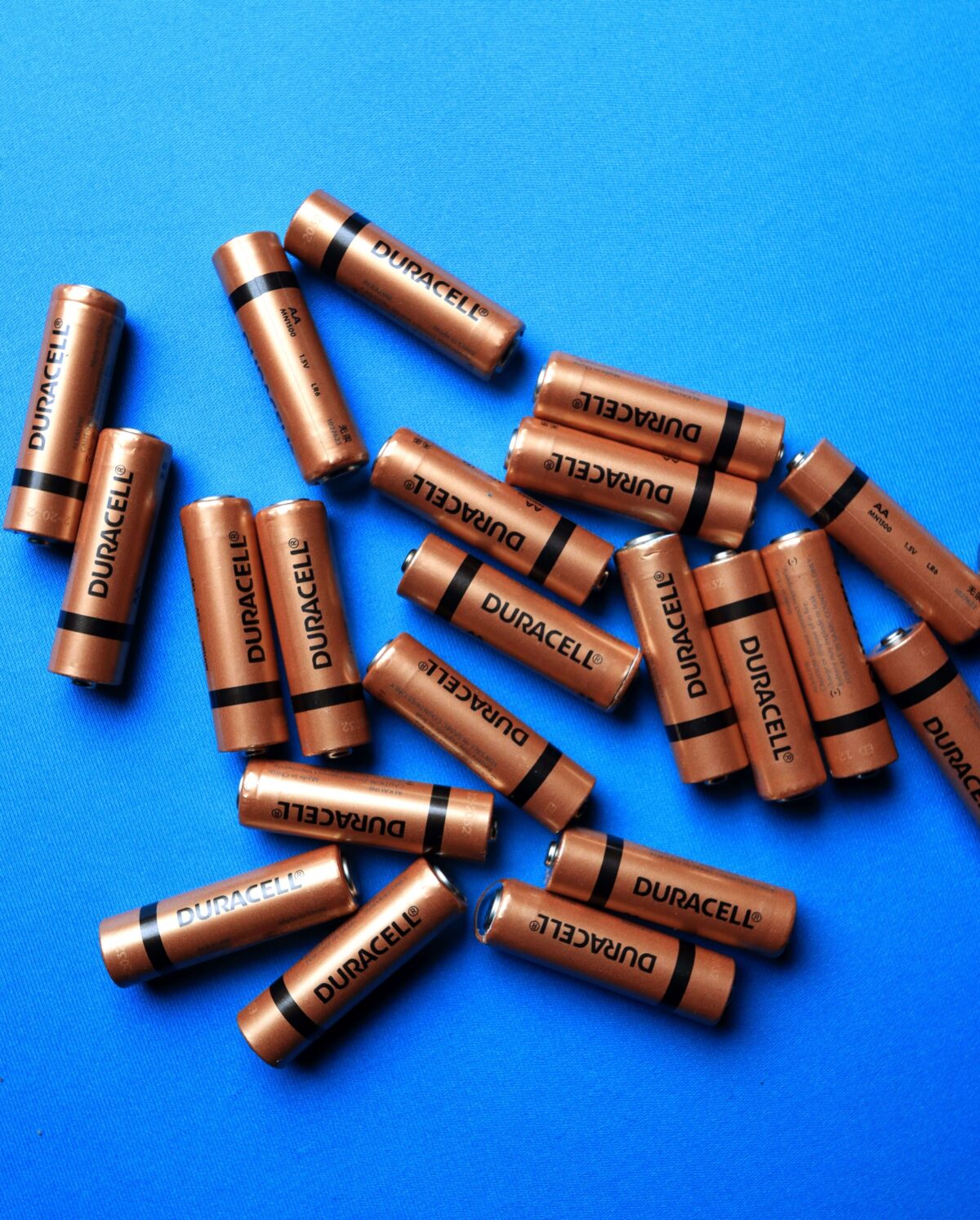
Alkaline batteries are commonly used in household items such as clocks, toys, and remote controls. They often have a long shelf life and can remain usable for several years when stored correctly.

Lithium-ion batteries are widely used in laptops, smartphones, electric vehicles, and energy storage systems. They offer high energy density but usually experience gradual capacity loss over time. Heat exposure and frequent charging can reduce their lifespan.

Rechargeable batteries are designed for repeated use but naturally lose their ability to store energy after many charging cycles. Rechargeable lithium batteries typically maintain strong performance for several years when properly managed.

Lead-acid batteries are commonly used in vehicles, backup power systems, and renewable energy applications. Their lifespan depends heavily on maintenance, charging habits, and operating conditions.

Do Batteries Expire If They Are Not Used?

Yes, batteries can expire even if they remain unused. Many people assume unopened batteries will last forever, but all batteries slowly lose performance because internal chemical reactions continue over time.

The manufacturing date is important because it shows when the battery was produced. A battery that has spent many years in storage may have lower capacity compared with a newly manufactured product, even if it has never been installed in a device.

Storage conditions also play a major role. Batteries stored in a cool, dry environment usually maintain their performance longer than batteries exposed to heat, humidity, or direct sunlight.

For example, a pack of batteries stored correctly in a cupboard may still work after several years, while the same battery stored in a hot garage may fail much earlier.

What Causes Batteries to Lose Performance?

Several factors influence how quickly batteries age:

Temperature Changes

Heat is one of the biggest causes of battery degradation. High temperatures increase chemical activity inside the battery, which can shorten its lifespan and reduce reliability.

Cold temperatures can also affect battery performance. Although some batteries recover once they return to normal temperatures, repeated exposure to extreme conditions can cause permanent damage.

Natural Discharge

All batteries experience self-discharge, meaning they gradually lose stored energy even when they are not being used. Different battery types have different discharge rates, which affects how long they remain effective during storage.

Battery Design

Each battery type has different chemical properties. Some batteries are designed for a longer lifespan, while others are intended for temporary use.

For example, lithium-based batteries often provide excellent energy storage, but their performance depends on correct charging, temperature control, and usage patterns.

Signs That a Battery Has Expired

Knowing the warning signs of an ageing battery helps prevent device problems and safety risks. While some expired batteries simply stop working, others may show physical changes that require immediate attention.

One common sign is reduced performance. A device may turn off unexpectedly, lose power quickly, or fail to operate even after installing a battery that appears unused.

Another warning sign is leakage or swelling. A damaged battery may release chemicals or develop a swollen appearance due to internal pressure. Batteries showing these conditions should not be used because they can damage electronic devices and create safety concerns.

Other signs that a battery may have reached the end of its usable life include:

A battery that no longer provides enough power for normal operation.

Rechargeable batteries that lose charge much faster than before.

Visible corrosion around the terminals.

Unusual heat during charging or use.

A damaged outer casing or distorted shape.

The age of a battery should also be considered. Even if there are no visible problems, older batteries may not deliver reliable performance because their internal materials have naturally degraded.

How to Store Batteries to Extend Their Lifespan

Correct storage can significantly improve battery performance and help maintain capacity for a longer period. The ideal storage environment depends on the battery type, but most batteries perform best when kept away from extreme conditions.

Batteries should be stored in a cool, dry location away from direct sunlight, moisture, and heat sources. High humidity can damage battery components, while excessive heat can accelerate chemical breakdown.

Keeping batteries in their original packaging is recommended because it prevents contact with metal objects that may create accidental short circuits. Loose batteries stored together with coins, keys, or other metal items can become damaged or lose charge.

For long-term storage, check battery condition regularly and avoid leaving batteries inside unused devices. Devices that remain switched off for extended periods can still drain batteries and increase the risk of leakage.

Proper storage is especially important for lithium-ion batteries, as incorrect conditions can affect performance, safety, and overall lifespan.

Can Expired Batteries Damage Electronic Devices?

Yes, expired batteries can damage electronic equipment, especially when they experience chemical leakage. When battery materials break down, they may release substances that corrode electrical connections.

Small devices such as cameras, toys, clocks, and small electronic equipment are particularly vulnerable because leaked chemicals can reach internal components quickly.

Removing old batteries from unused devices reduces the risk of corrosion. If a battery shows signs of damage, avoid touching leaked material directly and follow appropriate safety guidance.

For businesses managing larger quantities of used batteries, responsible disposal is essential. Sending old batteries through approved battery recycling channels helps recover valuable materials while reducing environmental impact.

How Battery Expiration Dates Help Consumers

Battery expiration dates provide an estimate of how long a battery should maintain reliable performance under recommended storage conditions.

The printed date does not mean the battery stops working immediately afterwards. Instead, it indicates the period when manufacturers expect the battery to perform at its best.

A battery close to its expiration date may still work in low-power devices, but it may not be suitable for applications where consistent power is required.

For example, emergency equipment, security systems, medical devices, and industrial technology often require dependable batteries. Using older batteries in these situations can increase the chance of unexpected failure.

Checking battery expiration dates before installation helps users choose the right battery for each application.

Are Rechargeable Batteries Different from Regular Batteries?

Rechargeable batteries are different because they are designed to be used multiple times. However, they still expire because their ability to store energy decreases after repeated charging cycles.

The lifespan of rechargeable batteries depends on charging habits, operating temperatures, and how frequently they are used.

Over time, rechargeable batteries may experience:

Reduced charging capacity.

Shorter operating times.

Slower charging performance.

Increased heat during use.

Rechargeable lithium batteries are commonly used in modern electronics because they provide efficient energy storage. However, they still require proper care to maintain performance over the long term.

Avoiding extreme temperatures, using suitable chargers, and following manufacturer recommendations can help extend rechargeable battery life.

Safe Disposal of Expired Batteries

Expired batteries should never be placed in general household waste because they contain materials that can be recovered and reused through specialist recycling processes.

Battery recycling helps reduce environmental impact by recovering metals and preventing potentially harmful materials from entering landfill.

Households and businesses should separate old batteries and use appropriate collection services. Professional battery recycling services provide a safer solution for handling different battery types, including lithium, alkaline, and rechargeable batteries.

Before recycling batteries, keep them in a safe location away from heat and moisture. Damaged batteries should be handled carefully because leakage or swelling may indicate internal problems.

Understanding battery expiration helps users make safer choices when storing, using, and replacing different battery types. Although batteries may still work after their expiration date, their performance and reliability can decline as internal chemicals naturally degrade. Keeping batteries in a cool, dry environment, checking manufacturing dates, and identifying signs such as leakage, swelling, or reduced power can improve safety and extend usability. Whether using alkaline batteries, rechargeable batteries, lithium-ion batteries, or lead-acid batteries, responsible battery management and proper recycling help reduce waste, recover valuable materials, and support safer battery use.

Frequently Asked Questions

Can Batteries Expire After Years in Storage?

Yes, batteries can expire after years in storage. Even unused batteries gradually lose their ability to hold energy because internal chemical reactions continue over time. The exact lifespan depends on the battery type, storage conditions, and the materials used during manufacturing.

Batteries stored in a cool dry environment usually maintain better performance compared with batteries exposed to heat or humidity. Checking the manufacturing date can help determine whether stored batteries are still suitable for use.

Do Alkaline Batteries Expire?

Yes, alkaline batteries expire, although they generally have a long shelf life compared with many other battery types. When stored correctly, they can remain usable for several years.

Over time, alkaline batteries may lose voltage and become less reliable. Older batteries should be checked before use, especially when installed in important equipment.

Do Lithium-Ion Batteries Have an Expiration Date?

Yes, lithium-ion batteries have an expiration period. Their performance decreases gradually due to chemical ageing, even when they are not frequently used.

Factors such as charging habits, heat exposure, storage conditions, and usage patterns affect how quickly lithium-ion batteries lose capacity.

How Can You Tell If a Battery Is Too Old?

A battery may be too old if it has passed its recommended expiration date, shows reduced performance, or displays physical damage such as corrosion, leakage, or swelling.

Checking the manufacturing date, battery condition, and device performance can help determine whether replacement is necessary.

Can Expired Batteries Still Be Used?

Expired batteries may still provide power, but their performance cannot be guaranteed. They may have lower capacity, shorter operating times, or increased risk of failure.

For low-power devices such as remote controls, an older battery may sometimes continue working. However, important equipment should always use batteries within their recommended lifespan.

How To Check iPhone Battery Health

Knowing how to check iPhone battery health is essential for understanding your device’s condition, improving battery life, and preventing unexpected performance issues. Over time, iPhone batteries naturally lose capacity due to regular charging cycles, daily usage, and normal ageing.

Apple provides a simple way to monitor battery condition through the Settings app, where users can view important details such as maximum capacity and performance capability. By checking this information regularly, you can identify battery changes early, adjust charging habits, and decide when battery maintenance or replacement may be needed.

Whether you use your iPhone for work, communication, entertainment, or everyday tasks, understanding iPhone battery health helps you keep your device running efficiently for longer.

How To Check iPhone Battery Health

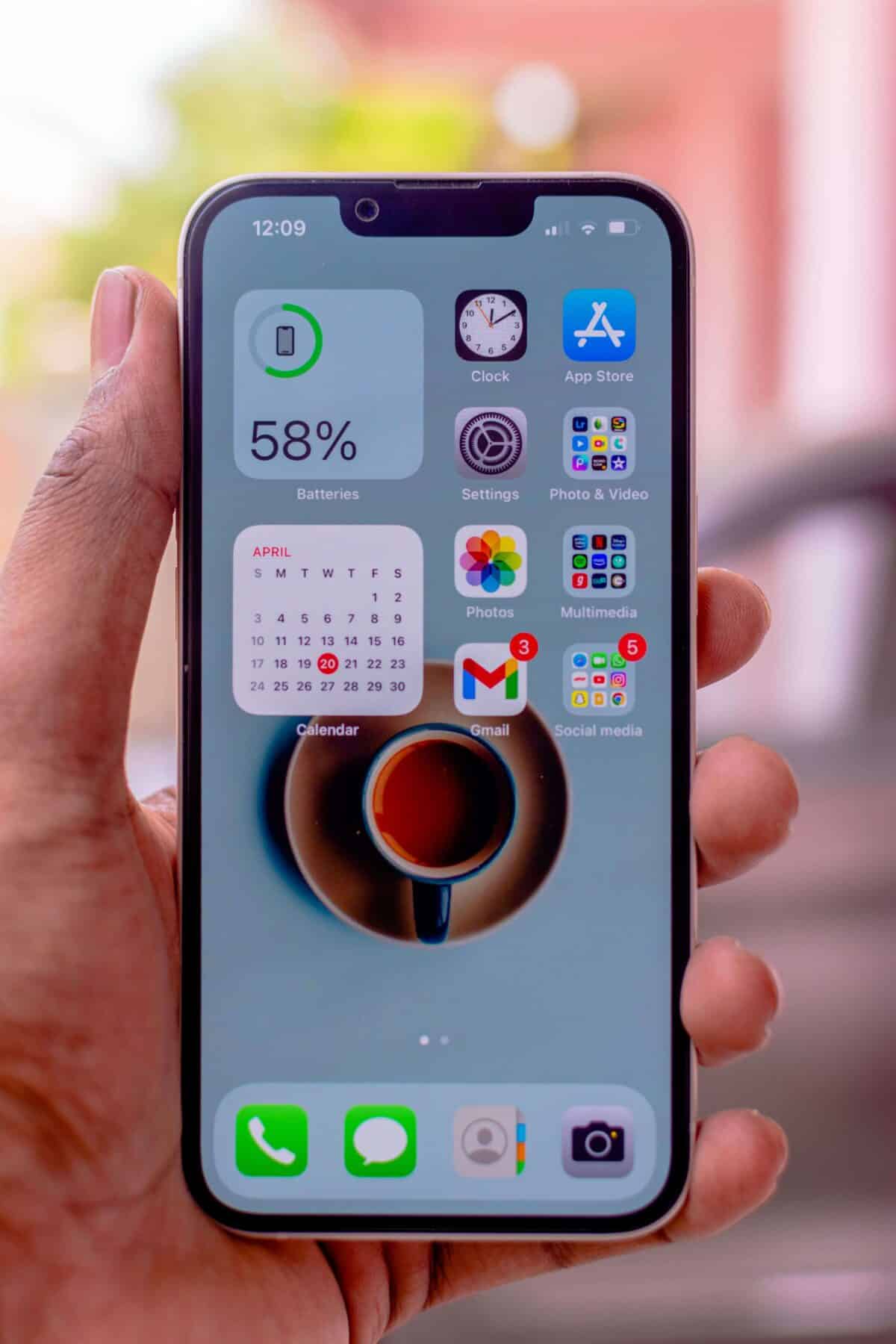
To check iPhone battery health, open the Settings app, select Battery, then tap battery and choose Battery Health & Charging. Your iPhone will display the maximum capacity, battery performance information, and charging recommendations.

This feature helps users understand their device condition, monitor battery life, and identify when maintenance or battery replacement may be needed.

Apple includes this tool within every supported iPhone model, allowing users to check battery information without downloading additional applications.

How To Check iPhone Battery Health Using Settings App

The built-in battery monitoring feature provides accurate information directly from your device. Users can quickly review battery performance, charging behaviour, and overall battery condition through the iPhone settings app.

To check your battery health:

Open the Settings application on your iPhone.

Scroll down and select Battery.

Tap Battery and choose Battery Health & Charging.

Review your maximum capacity percentage and performance status.

The information shown provides a clear overview of your battery’s current condition and helps you understand whether your device is operating normally.

What Does iPhone Battery Health Maximum Capacity Mean?

The maximum capacity percentage represents the amount of charge your battery can store compared with when it was new.

A brand-new iPhone battery normally shows 100% maximum capacity. As the battery completes charging cycles, the capacity gradually decreases because the internal materials naturally wear over time.

A lower percentage does not always mean your iPhone has a serious problem. It simply indicates that the battery cannot store the same amount of energy as it did when first purchased.

For example, an iPhone with 90% maximum capacity may still perform well but could require charging slightly more often than a new device.

Understanding maximum capacity allows users to make informed decisions about battery care, charging habits, and possible replacement.

Why Checking iPhone Battery Health Is Important

Regularly checking iPhone battery health helps you understand your device’s condition and prevent unexpected battery problems. Battery performance directly affects how long your iPhone can operate throughout the day and how reliably it handles daily tasks.

A battery with healthy capacity can support longer usage periods, while an ageing battery may cause shorter battery life, slower charging, or sudden power loss.

Monitoring your battery information allows you to:

Identify battery ageing before it affects daily use.

Understand whether reduced performance is related to battery condition.

Improve charging habits to protect long-term battery performance.

Prepare for battery replacement when necessary.

Checking your battery status every few months is usually enough for most users. However, reviewing battery information becomes especially useful when you notice faster battery drain or changes in device performance.

How To Improve iPhone Battery Life

Maintaining good habits can help protect your iPhone battery and extend its usable lifespan. Although battery ageing cannot be completely prevented, careful usage can slow down capacity loss.

Avoid exposing your iPhone to extremely hot or cold environments because temperature changes can affect battery performance. Excessive heat, especially during charging, can increase battery stress and reduce long-term efficiency.

Using Optimised Battery Charging can also help maintain battery condition. This feature learns your charging routine and reduces the amount of time your iPhone stays fully charged.

You can review battery usage by opening the settings app and checking which applications consume the most power. Reducing unnecessary background activity can help improve daily battery performance.

When an old battery reaches the end of its useful life, responsible battery recycling helps ensure used batteries are processed safely and reduces environmental impact.

Signs Your iPhone Battery May Need Replacement

Battery health information provides useful guidance, but real-world performance is also important. Your iPhone may need a battery replacement when reduced capacity begins affecting normal use.

Common signs include:

  • Battery percentage dropping faster than expected

  • Device shutting down without warning

  • Longer charging times

  • Reduced performance during demanding tasks

  • iPhone becoming unusually warm during regular activities

If you experience these issues, checking the battery health section can help determine whether the battery is responsible.

A significantly reduced maximum capacity percentage may indicate that replacement could improve performance and reliability.

When replacing an old lithium-based battery, safe lithium battery recycling ensures the battery is handled correctly and prevents improper disposal.

Does Charging Overnight Damage iPhone Battery Health?

Many iPhone users worry that charging overnight will damage their battery. Modern iPhones include intelligent charging features designed to reduce unnecessary battery stress.

Leaving your iPhone connected overnight does not automatically harm the battery. However, charging in hot environments or using poor-quality accessories may affect battery performance over time.

For better battery protection, use reliable charging equipment, avoid excessive heat, and keep your device updated with the latest software improvements.

Can iPhone Battery Health Increase?

No, the iPhone battery health percentage cannot increase after it decreases.

Lithium-ion batteries naturally lose capacity as they age, meaning maximum capacity gradually reduces over time. This process is normal and occurs because battery materials become less efficient after repeated charging cycles.

However, users can slow battery ageing by following proper charging practices, managing device temperature, and avoiding unnecessary battery strain.

A lower battery health percentage does not always require immediate replacement. The best decision depends on how the iPhone performs during everyday use.

Maintaining awareness of your iPhone’s battery condition allows you to get more value and reliability from your device. A quick battery health check can provide useful insight into how efficiently your phone stores power and whether changes in usage habits may be needed.

By understanding battery information such as maximum capacity, monitoring charging behaviour, and managing power usage wisely, you can support consistent performance throughout your iPhone’s lifespan. When battery capacity eventually declines, making informed choices about repair, replacement, and responsible disposal ensures your device remains practical while reducing unnecessary electronic waste.

A proactive approach to battery care helps you avoid surprises, maintain dependable daily performance, and make better decisions about your technology investments.

Should You Leave Your Laptop Plugged In All The Time?

Leaving your laptop plugged in all the time will not instantly damage modern devices, but keeping the battery at full charge constantly can affect long-term battery health. Managing battery levels, controlling heat, and following better charging habits can help extend battery life. These practices are central to improving laptop battery health.

Many laptop users wonder if they should leave their laptop plugged in all the time, especially when working from home, gaming, or using their device for long periods. Modern laptops are designed with advanced charging systems that prevent overcharging, but how you manage the battery can still influence its lifespan.

Most current laptops use lithium-ion batteries, which perform best when they are not constantly kept at maximum capacity. Understanding how battery charge, charging cycles, and temperature affect performance can help users protect their devices and avoid premature battery replacement.

Keeping your laptop connected to power is generally safe, but maintaining a battery at 100% charge for extended periods may reduce long-term battery health. Avoid excessive heat and allow occasional battery use to support better performance.

How Laptop Batteries Work

Modern laptop batteries are mainly made with lithium-based technology because they provide high energy density, lighter weight, and reliable performance. Unlike older battery types, lithium-ion batteries do not require complete discharge before recharging.

Every battery has a limited number of charging cycles. A charging cycle is counted when the device uses the equivalent of a full battery capacity, even if this happens through several smaller charges. For example, using 50% of your battery one day and another 50% the next day may count as one complete cycle.

Over time, repeated charging cycles naturally reduce battery capacity. This means a laptop that once lasted eight hours may eventually provide less usage time after years of regular charging.

Understanding this process helps users make better decisions about when to charge their devices and how to maintain battery performance.

Does Leaving Your Laptop Plugged in All the Time Damage the Battery?

For most modern laptops, leaving the device plugged in does not cause immediate damage. Once the battery reaches full capacity, built-in charging controls usually stop sending continuous power to the battery and allow the laptop to run directly from the power adapter.

However, keeping a laptop plugged in all the time while maintaining a full charge can place additional stress on the battery. Lithium-based batteries experience more strain when they remain at very high battery levels for long periods, especially when combined with heat.

The biggest concern is not overcharging but maintaining a high voltage state continuously. When batteries remain fully charged for extended periods, chemical ageing can happen faster, reducing overall battery capacity.

For users who mainly use a laptop at a desk, keeping it connected to power is often practical. However, occasionally allowing the battery level to drop and recharge can help maintain accurate battery readings.

How Full Charge Levels Affect Battery Health

Many people assume that keeping their laptop fully charged is always the best option. While having a full battery is useful when travelling, maintaining maximum charge every day may not be ideal for long-term battery health.

Lithium-ion batteries experience less stress when operating within a moderate charge range. Some manufacturers now include battery protection settings that limit charging to around 80% to reduce wear.

When batteries reach 100% frequently, the battery cells remain under higher electrical pressure. Over months or years, this can contribute to reduced capacity and shorter battery life.

A balanced approach is usually better. Charging your laptop when needed, avoiding extreme battery levels, and reducing unnecessary heat exposure can help preserve performance.

The Role of Heat in Laptop Battery Damage

Temperature is one of the most important factors affecting battery lifespan. A laptop that stays plugged in for long periods may generate additional heat, especially during demanding activities such as gaming, video editing, or running intensive software.

Heat can accelerate battery ageing and may damage the battery over time. Keeping ventilation areas clear and avoiding soft surfaces that block airflow can help maintain safer operating temperatures.

Using a laptop stand, cleaning dust from vents, and avoiding direct sunlight can also reduce heat-related battery problems.

For users who keep their laptops connected to power throughout the day, managing temperature is often more important than worrying about overcharging.

How Charging Cycles Influence Laptop Battery Life

Every laptop battery has a limited number of charging cycles before its ability to hold energy gradually decreases. A charging cycle does not always mean plugging the laptop in once. Instead, it refers to using a combined amount of power equal to the battery’s full capacity.

For example, if you use 40% of your battery one day and recharge it, then use another 60% later, this may count as one complete cycle. Over time, these cycles naturally reduce battery capacity because lithium-based cells undergo chemical changes during charging and discharging.

Although charging cycles cannot be avoided completely, users can slow battery ageing by avoiding unnecessary full discharges. Allowing a laptop to regularly drop to very low battery levels can place additional strain on the cells.

Modern devices are designed to manage charging automatically, but good habits can still improve long-term reliability. Keeping the battery within a healthy range and avoiding extreme conditions can help your laptop maintain better performance.

Should You Keep Your Laptop Plugged in When Working from Home?

For people who use their laptop as a desktop replacement, keeping it connected to power during work hours is often convenient. A constant power connection ensures reliable performance and prevents interruptions caused by low battery levels.

However, users who leave their laptop plugged in all the time should consider enabling battery protection features if their device supports them. Many manufacturers now offer settings that reduce how often the battery reaches maximum capacity.

If your laptop remains connected to a charger most days, allowing the battery to occasionally discharge moderately before charging again can help the system measure battery capacity more accurately.

The ideal approach depends on your usage. Someone who frequently travels may benefit from maintaining a higher charge, while a person who mainly works from one location may prefer battery-saving charging settings.

How To Improve Laptop Battery Health

Maintaining good battery health requires a combination of charging habits, temperature control, and regular device care. Small changes can make a noticeable difference over the lifespan of your laptop. If you are considering how to improve laptop battery health in everyday use, start by building consistent, moderate charging routines and managing heat.

  • Avoid letting the battery completely drain on a regular basis. While occasional low battery levels are normal, repeated deep discharges can increase wear on lithium-ion cells.

  • Keeping the laptop away from excessive heat is equally important. High temperatures can reduce battery performance faster than normal charging activity. Avoid leaving your laptop inside hot vehicles, near direct sunlight, or in areas with poor airflow.

  • Using the correct charger is also essential. A damaged or unsuitable power adapter may provide unstable power, which can affect battery performance and overall device safety.

  • For businesses and individuals managing old or damaged devices, responsible handling of used laptop batteries is important because battery materials require specialist processing. Information about safe handling and recycling options can be found through resources covering laptop batteries and battery disposal methods.

Does Keeping a Laptop Fully Charged Reduce Battery Life?

Keeping a laptop fully charged for short periods is not harmful. The issue occurs when the battery stays at maximum capacity for weeks or months without being used.

A battery operating constantly at full charge experiences higher voltage stress. Over a long period, this can reduce the amount of energy the cells can store, meaning the laptop may need charging more frequently.

Many newer laptops include smart charging technology that learns user habits and prevents unnecessary stress. These features may delay charging beyond a certain percentage or reduce the maximum charge level.

If your laptop offers a battery conservation mode, enabling it can be helpful, particularly if the device is usually connected to power.

Understanding Lithium-Ion Battery Care

The technology behind modern devices relies heavily on lithium-ion batteries because they provide a strong balance between weight, capacity, and recharge ability.

Unlike older battery technologies, lithium-ion batteries do not suffer from the same memory effect. This means users do not need to empty the battery before charging.

The best care routine is simple: avoid extreme temperatures, use quality chargers, maintain reasonable battery levels, and follow manufacturer recommendations.

A laptop battery will naturally lose some capacity as it ages, but responsible charging behaviour can help delay noticeable performance reduction.

Common Laptop Charging Mistakes To Avoid

Many battery problems happen because of everyday habits rather than a single charging mistake. Leaving a laptop in hot conditions while connected to power, using poor-quality chargers, or repeatedly draining the battery completely can shorten its useful lifespan.

Another common mistake is assuming that charging overnight always damages a laptop. Modern charging systems are designed to control power delivery, but long periods at maximum charge combined with heat can still affect battery longevity.

Users should also avoid storing a laptop with an empty battery for extended periods. If a device will not be used for several weeks, keeping the battery partially charged is usually recommended.

Best Charging Habits to Extend Laptop Battery Life

The best way to protect your laptop battery is to maintain balanced charging habits rather than focusing on keeping the battery at maximum capacity. Modern devices can manage power automatically, but users still play an important role in maintaining long-term performance.

  • Try to avoid regularly allowing the battery to reach extremely low levels before charging. Frequent deep discharges can increase stress on the cells and reduce the number of effective full charge cycles available during the battery’s lifespan.

  • For everyday use, keeping battery levels somewhere between moderate and high is generally better than constantly switching between empty and full. If your laptop remains connected to power for most of the day, using a battery protection setting can prevent unnecessary charging stress.

  • When travelling, charging to 100% before leaving is practical because it provides the longest possible usage time. However, once you return to a regular workspace, allowing the device to operate with controlled charging can support better battery health.

Can You Leave Your Laptop Plugged In Overnight?

Leaving a laptop connected overnight is generally safe because modern charging systems are designed to stop actively charging once the battery reaches its limit. The device will usually draw power from the charger instead of continuing to fill the battery.

However, if a laptop stays connected overnight every day, it is still worth considering battery protection features. Keeping a battery at maximum charge for extended periods may contribute to gradual capacity loss.

Users should also ensure the laptop has proper airflow while charging overnight. Avoid placing the device on beds, sofas, or other surfaces that trap heat because increased temperatures can accelerate battery ageing.

Signs Your Laptop Battery May Need Attention

A laptop battery naturally loses capacity over time, but certain signs may indicate that it requires replacement or professional assessment.

Common warning signs include:

  • A noticeable reduction in battery life compared with previous performance.

  • The laptop shutting down unexpectedly even when the battery indicator shows remaining power.

  • The battery percentage changing quickly or showing inaccurate readings.

  • The device becoming unusually hot during charging.

  • A swollen battery that changes the shape of the laptop case.

If you notice physical swelling or unusual battery behaviour, stop using the device until it has been checked. Damaged batteries can create safety risks and should be handled correctly.

Should You Leave Your Laptop Plugged in All the Time?

For most modern devices, the answer is yes, but with some precautions. Staying connected to power will not cause immediate battery failure because modern laptops include advanced charging controls.

The main factors that influence battery performance are heat, charging habits, battery age, and the number of charging cycles completed over time. Keeping a laptop at maximum charge continuously may slightly reduce battery capacity, while balanced charging practices can help extend its usable life.

Maintaining good airflow, avoiding extreme temperatures, using reliable chargers, and monitoring battery levels are simple steps that can protect your device.

A laptop battery will naturally wear down eventually, but understanding how charging affects battery health allows users to make better decisions and get more value from their devices.

Why Is My Laptop Battery Not Charging?

A laptop battery that refuses to charge can quickly interrupt work, study, or entertainment. Whether your device is plugged in but not charging, charging slowly, or stopping before it reaches 100%, the problem does not always mean the battery has failed. In many cases, simple troubleshooting can restore normal charging.

This guide explains the most common causes, practical solutions, and preventative maintenance tips to help improve battery health and keep your laptop performing reliably.

A laptop battery may stop charging because of a faulty charger, damaged charging port, outdated drivers, battery protection settings, overheating, poor battery health, or a worn-out battery. Most issues can be resolved without replacing the battery by following a systematic troubleshooting process.

Why Is My Laptop Battery Not Charging?

Several hardware and software issues can prevent your laptop from charging correctly. Identifying the exact cause saves time and helps avoid unnecessary repairs.

Plugged In but Not Charging

Seeing the message plugged in but not charging is one of the most common laptop battery problems. This can happen when battery conservation settings intentionally stop charging, Windows fails to recognise the battery correctly, or the charger is not delivering enough power.

Many modern laptops pause charging between 80% and 90% to protect long-term battery health. Before assuming the battery has failed, check your manufacturer’s battery management settings.

Checking the Power Supply

Before investigating software, start by checking the power source.

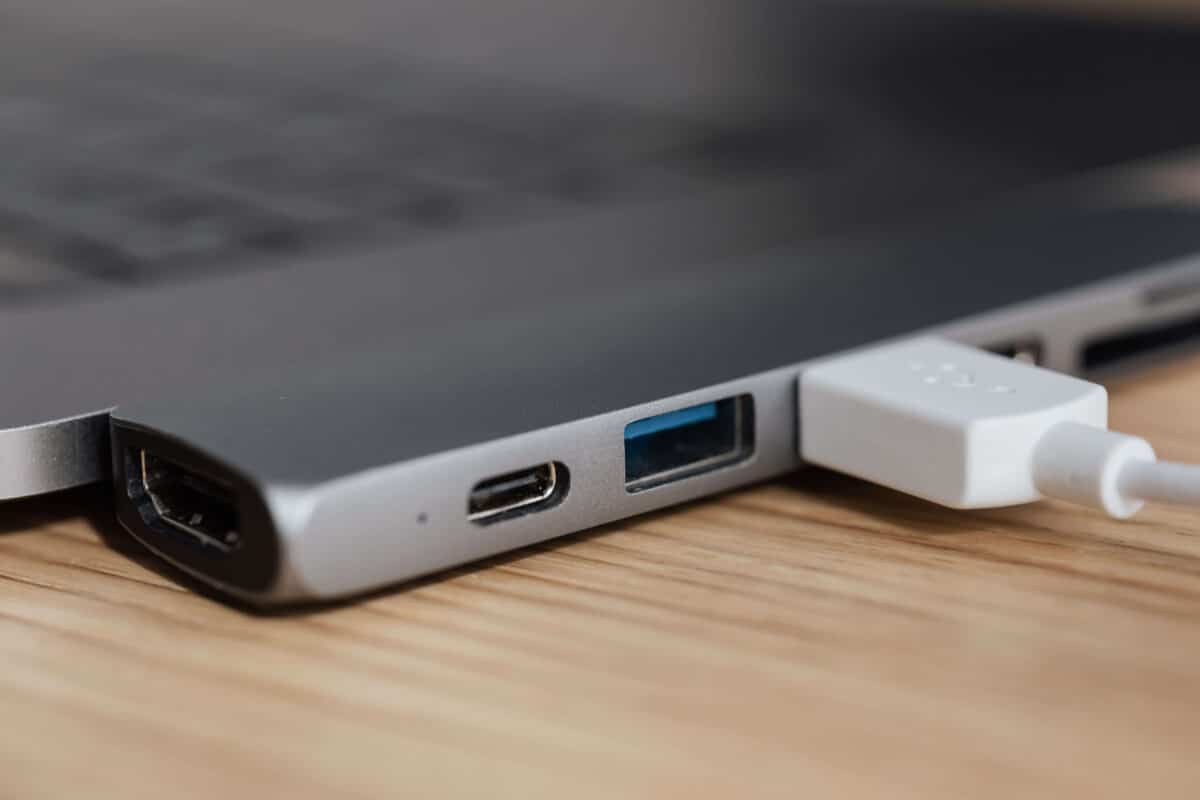
Ensure the wall socket is working correctly, inspect the charging cable for damage, and confirm the power adapter matches your laptop model. Loose connectors, bent pins, or damaged cables can interrupt charging without any visible warning.

Testing with another compatible charger is often the quickest way to identify whether the charger or laptop is causing the problem.

Damaged Charging Port

The charging port experiences regular wear and can become loose or damaged over time.

Common symptoms include intermittent charging, a loose connector, or charging only when the cable is held in a certain position. If you notice these signs, the charging port may require professional repair.

Poor Battery Health

Every rechargeable lithium-ion battery gradually loses capacity as it ages. Reduced battery health means the battery stores less energy and may eventually refuse to charge properly.

Typical signs include:

  • Rapid battery drain
  • Battery stuck at a low percentage
  • Unexpected shutdowns
  • Laptop only working while connected to the charger
  • Battery refusing to reach full charge

Windows users can generate a battery report by running:

powercfg /batteryreport

The report provides valuable information about battery capacity, charging history, and overall battery condition.

Software Issues That Prevent Charging

Not every charging problem is caused by faulty hardware.

Corrupted battery drivers, operating system updates, or outdated BIOS firmware may interfere with charging detection.

Restarting the laptop, reinstalling the Microsoft ACPI battery driver, or installing the latest BIOS update often resolves these software-related issues.

Manufacturer battery optimisation software can also pause charging to preserve battery lifespan, so checking these settings is recommended before replacing the battery.

How to Fix a Laptop Battery That Is Not Charging

Start with the simplest solutions before considering replacement.

Restart the laptop to clear temporary software conflicts. Disconnect unnecessary USB devices and docking stations that may affect power management. Continue by checking the power adapter, cable, and charging port for visible damage.

Next, update Windows, reinstall the battery driver, and review the battery report to assess battery health. If the charger or battery fails testing, replace it with a genuine manufacturer-approved component.

How Overheating Affects Laptop Battery Charging

Excessive heat can prevent your laptop battery from charging normally. Most laptops include thermal protection systems that temporarily pause charging if internal temperatures become too high.

Dust blocking air vents, heavy workloads, or using the laptop on soft surfaces can increase operating temperatures. Keeping cooling vents clear and using the laptop on a hard, flat surface helps maintain safe charging conditions.

Laptop Battery Not Charging After a Windows Update

Some users experience charging problems immediately after installing Windows updates.

If this occurs, restart the laptop, check Device Manager for battery driver issues, and install any manufacturer-recommended firmware updates. In many cases, Windows automatically reinstalls the correct battery drivers after a restart.

When Should You Replace Your Laptop Battery?

Battery replacement becomes necessary when charging problems continue despite troubleshooting.

You should consider replacing the battery if:

  • The battery health report shows significant wear.
  • The laptop only operates while plugged into the charger.
  • The battery becomes swollen.
  • Charging repeatedly fails.
  • Battery life lasts only a few minutes.

Dispose of old batteries responsibly through battery recycling facilities to help recover valuable materials and prevent environmental pollution.

Keeping Your Laptop Battery Healthy

Good charging habits extend battery lifespan and improve long-term performance.

Avoid exposing your laptop to excessive heat, use the original charger whenever possible, keep software updated, and avoid regularly draining the battery to zero. If your battery reaches the end of its useful life, choose lithium battery recycling to ensure it is managed safely and responsibly.

Understanding why your laptop battery is not charging allows you to identify the root cause quickly and apply the correct solution. From checking the power supply and improving battery health to resolving plugged-in but not charging errors, most issues can be fixed without expensive repairs. Regular maintenance, proper charging habits, and responsible battery recycling help extend battery life while reducing environmental impact.

FAQs

Why is my laptop plugged in but not charging?

This usually results from battery conservation settings, faulty chargers, damaged charging ports, outdated drivers, or poor battery health.

Can a faulty charger damage a laptop battery?

Yes. An incompatible or damaged charger can reduce charging efficiency and may shorten battery lifespan over time.

How long should a laptop battery last?

Most lithium-ion laptop batteries remain effective for three to five years, depending on usage, charging habits, and operating conditions.

Should I replace the battery or the charger first?

Testing the charger with another compatible laptop is recommended before replacing the battery, as faulty chargers are a common cause of charging problems.