A laptop battery that refuses to charge can quickly interrupt work, study, or entertainment. Whether your device is plugged in but not charging, charging slowly, or stopping before it reaches 100%, the problem does not always mean the battery has failed. In many cases, simple troubleshooting can restore normal charging.
This guide explains the most common causes, practical solutions, and preventative maintenance tips to help improve battery health and keep your laptop performing reliably.
A laptop battery may stop charging because of a faulty charger, damaged charging port, outdated drivers, battery protection settings, overheating, poor battery health, or a worn-out battery. Most issues can be resolved without replacing the battery by following a systematic troubleshooting process.
Why Is My Laptop Battery Not Charging?
Several hardware and software issues can prevent your laptop from charging correctly. Identifying the exact cause saves time and helps avoid unnecessary repairs.
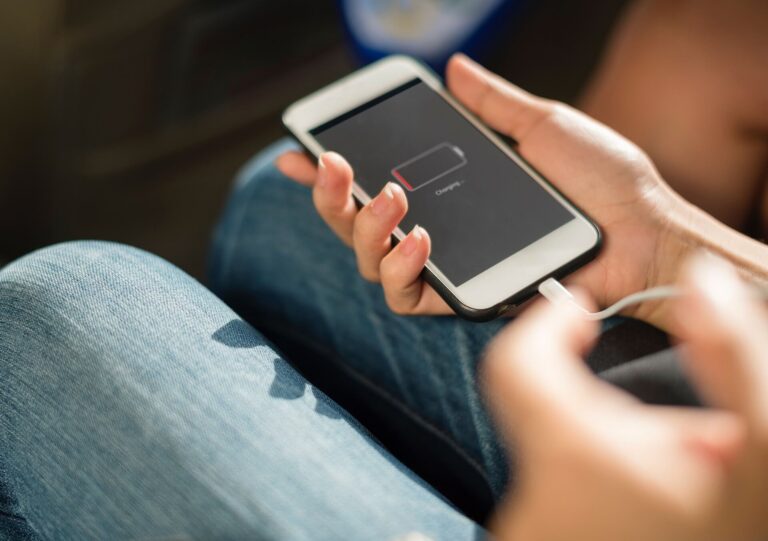
Plugged In but Not Charging
Seeing the message plugged in but not charging is one of the most common laptop battery problems. This can happen when battery conservation settings intentionally stop charging, Windows fails to recognise the battery correctly, or the charger is not delivering enough power.
Many modern laptops pause charging between 80% and 90% to protect long-term battery health. Before assuming the battery has failed, check your manufacturer’s battery management settings.
Checking the Power Supply
Before investigating software, start by checking the power source.
Ensure the wall socket is working correctly, inspect the charging cable for damage, and confirm the power adapter matches your laptop model. Loose connectors, bent pins, or damaged cables can interrupt charging without any visible warning.
Testing with another compatible charger is often the quickest way to identify whether the charger or laptop is causing the problem.
Damaged Charging Port
The charging port experiences regular wear and can become loose or damaged over time.
Common symptoms include intermittent charging, a loose connector, or charging only when the cable is held in a certain position. If you notice these signs, the charging port may require professional repair.
Poor Battery Health
Every rechargeable lithium-ion battery gradually loses capacity as it ages. Reduced battery health means the battery stores less energy and may eventually refuse to charge properly.
Typical signs include:
- Rapid battery drain
- Battery stuck at a low percentage
- Unexpected shutdowns
- Laptop only working while connected to the charger
- Battery refusing to reach full charge
Windows users can generate a battery report by running:
powercfg /batteryreport
The report provides valuable information about battery capacity, charging history, and overall battery condition.
Software Issues That Prevent Charging
Not every charging problem is caused by faulty hardware.
Corrupted battery drivers, operating system updates, or outdated BIOS firmware may interfere with charging detection.
Restarting the laptop, reinstalling the Microsoft ACPI battery driver, or installing the latest BIOS update often resolves these software-related issues.
Manufacturer battery optimisation software can also pause charging to preserve battery lifespan, so checking these settings is recommended before replacing the battery.
How to Fix a Laptop Battery That Is Not Charging
Start with the simplest solutions before considering replacement.
Restart the laptop to clear temporary software conflicts. Disconnect unnecessary USB devices and docking stations that may affect power management. Continue by checking the power adapter, cable, and charging port for visible damage.
Next, update Windows, reinstall the battery driver, and review the battery report to assess battery health. If the charger or battery fails testing, replace it with a genuine manufacturer-approved component.
How Overheating Affects Laptop Battery Charging
Excessive heat can prevent your laptop battery from charging normally. Most laptops include thermal protection systems that temporarily pause charging if internal temperatures become too high.
Dust blocking air vents, heavy workloads, or using the laptop on soft surfaces can increase operating temperatures. Keeping cooling vents clear and using the laptop on a hard, flat surface helps maintain safe charging conditions.
Laptop Battery Not Charging After a Windows Update
Some users experience charging problems immediately after installing Windows updates.
If this occurs, restart the laptop, check Device Manager for battery driver issues, and install any manufacturer-recommended firmware updates. In many cases, Windows automatically reinstalls the correct battery drivers after a restart.
When Should You Replace Your Laptop Battery?
Battery replacement becomes necessary when charging problems continue despite troubleshooting.
You should consider replacing the battery if:
- The battery health report shows significant wear.
- The laptop only operates while plugged into the charger.
- The battery becomes swollen.
- Charging repeatedly fails.
- Battery life lasts only a few minutes.
Dispose of old batteries responsibly through battery recycling facilities to help recover valuable materials and prevent environmental pollution.
Keeping Your Laptop Battery Healthy
Good charging habits extend battery lifespan and improve long-term performance.
Avoid exposing your laptop to excessive heat, use the original charger whenever possible, keep software updated, and avoid regularly draining the battery to zero. If your battery reaches the end of its useful life, choose lithium battery recycling to ensure it is managed safely and responsibly.
Understanding why your laptop battery is not charging allows you to identify the root cause quickly and apply the correct solution. From checking the power supply and improving battery health to resolving plugged-in but not charging errors, most issues can be fixed without expensive repairs. Regular maintenance, proper charging habits, and responsible battery recycling help extend battery life while reducing environmental impact.
FAQs
Why is my laptop plugged in but not charging?
This usually results from battery conservation settings, faulty chargers, damaged charging ports, outdated drivers, or poor battery health.
Can a faulty charger damage a laptop battery?
Yes. An incompatible or damaged charger can reduce charging efficiency and may shorten battery lifespan over time.
How long should a laptop battery last?
Most lithium-ion laptop batteries remain effective for three to five years, depending on usage, charging habits, and operating conditions.
Should I replace the battery or the charger first?
Testing the charger with another compatible laptop is recommended before replacing the battery, as faulty chargers are a common cause of charging problems.