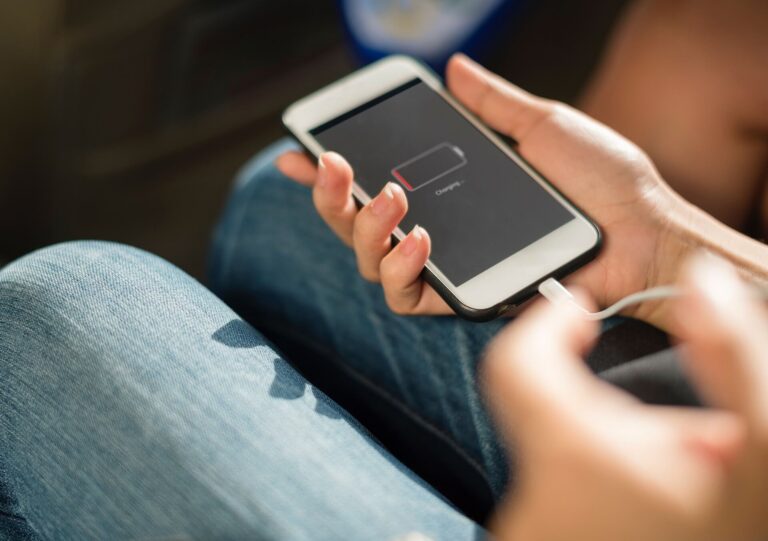
Knowing how to check iPhone battery health is essential for understanding your device’s condition, improving battery life, and preventing unexpected performance issues. Over time, iPhone batteries naturally lose capacity due to regular charging cycles, daily usage, and normal ageing.
Apple provides a simple way to monitor battery condition through the Settings app, where users can view important details such as maximum capacity and performance capability. By checking this information regularly, you can identify battery changes early, adjust charging habits, and decide when battery maintenance or replacement may be needed.
Whether you use your iPhone for work, communication, entertainment, or everyday tasks, understanding iPhone battery health helps you keep your device running efficiently for longer.
How To Check iPhone Battery Health
To check iPhone battery health, open the Settings app, select Battery, then tap battery and choose Battery Health & Charging. Your iPhone will display the maximum capacity, battery performance information, and charging recommendations.
This feature helps users understand their device condition, monitor battery life, and identify when maintenance or battery replacement may be needed.
Apple includes this tool within every supported iPhone model, allowing users to check battery information without downloading additional applications.
How To Check iPhone Battery Health Using Settings App
The built-in battery monitoring feature provides accurate information directly from your device. Users can quickly review battery performance, charging behaviour, and overall battery condition through the iPhone settings app.
To check your battery health:
Open the Settings application on your iPhone.
Scroll down and select Battery.
Tap Battery and choose Battery Health & Charging.
Review your maximum capacity percentage and performance status.
The information shown provides a clear overview of your battery’s current condition and helps you understand whether your device is operating normally.
What Does iPhone Battery Health Maximum Capacity Mean?
The maximum capacity percentage represents the amount of charge your battery can store compared with when it was new.
A brand-new iPhone battery normally shows 100% maximum capacity. As the battery completes charging cycles, the capacity gradually decreases because the internal materials naturally wear over time.
A lower percentage does not always mean your iPhone has a serious problem. It simply indicates that the battery cannot store the same amount of energy as it did when first purchased.
For example, an iPhone with 90% maximum capacity may still perform well but could require charging slightly more often than a new device.
Understanding maximum capacity allows users to make informed decisions about battery care, charging habits, and possible replacement.
Why Checking iPhone Battery Health Is Important
Regularly checking iPhone battery health helps you understand your device’s condition and prevent unexpected battery problems. Battery performance directly affects how long your iPhone can operate throughout the day and how reliably it handles daily tasks.
A battery with healthy capacity can support longer usage periods, while an ageing battery may cause shorter battery life, slower charging, or sudden power loss.
Monitoring your battery information allows you to:
Identify battery ageing before it affects daily use.
Understand whether reduced performance is related to battery condition.
Improve charging habits to protect long-term battery performance.
Prepare for battery replacement when necessary.
Checking your battery status every few months is usually enough for most users. However, reviewing battery information becomes especially useful when you notice faster battery drain or changes in device performance.
How To Improve iPhone Battery Life
Maintaining good habits can help protect your iPhone battery and extend its usable lifespan. Although battery ageing cannot be completely prevented, careful usage can slow down capacity loss.
Avoid exposing your iPhone to extremely hot or cold environments because temperature changes can affect battery performance. Excessive heat, especially during charging, can increase battery stress and reduce long-term efficiency.
Using Optimised Battery Charging can also help maintain battery condition. This feature learns your charging routine and reduces the amount of time your iPhone stays fully charged.
You can review battery usage by opening the settings app and checking which applications consume the most power. Reducing unnecessary background activity can help improve daily battery performance.
When an old battery reaches the end of its useful life, responsible battery recycling helps ensure used batteries are processed safely and reduces environmental impact.
Signs Your iPhone Battery May Need Replacement
Battery health information provides useful guidance, but real-world performance is also important. Your iPhone may need a battery replacement when reduced capacity begins affecting normal use.
Common signs include:
Battery percentage dropping faster than expected
Device shutting down without warning
Longer charging times
Reduced performance during demanding tasks
iPhone becoming unusually warm during regular activities
If you experience these issues, checking the battery health section can help determine whether the battery is responsible.
A significantly reduced maximum capacity percentage may indicate that replacement could improve performance and reliability.
When replacing an old lithium-based battery, safe lithium battery recycling ensures the battery is handled correctly and prevents improper disposal.
Does Charging Overnight Damage iPhone Battery Health?
Many iPhone users worry that charging overnight will damage their battery. Modern iPhones include intelligent charging features designed to reduce unnecessary battery stress.
Leaving your iPhone connected overnight does not automatically harm the battery. However, charging in hot environments or using poor-quality accessories may affect battery performance over time.
For better battery protection, use reliable charging equipment, avoid excessive heat, and keep your device updated with the latest software improvements.
Can iPhone Battery Health Increase?
No, the iPhone battery health percentage cannot increase after it decreases.
Lithium-ion batteries naturally lose capacity as they age, meaning maximum capacity gradually reduces over time. This process is normal and occurs because battery materials become less efficient after repeated charging cycles.
However, users can slow battery ageing by following proper charging practices, managing device temperature, and avoiding unnecessary battery strain.
A lower battery health percentage does not always require immediate replacement. The best decision depends on how the iPhone performs during everyday use.
Maintaining awareness of your iPhone’s battery condition allows you to get more value and reliability from your device. A quick battery health check can provide useful insight into how efficiently your phone stores power and whether changes in usage habits may be needed.
By understanding battery information such as maximum capacity, monitoring charging behaviour, and managing power usage wisely, you can support consistent performance throughout your iPhone’s lifespan. When battery capacity eventually declines, making informed choices about repair, replacement, and responsible disposal ensures your device remains practical while reducing unnecessary electronic waste.
A proactive approach to battery care helps you avoid surprises, maintain dependable daily performance, and make better decisions about your technology investments.