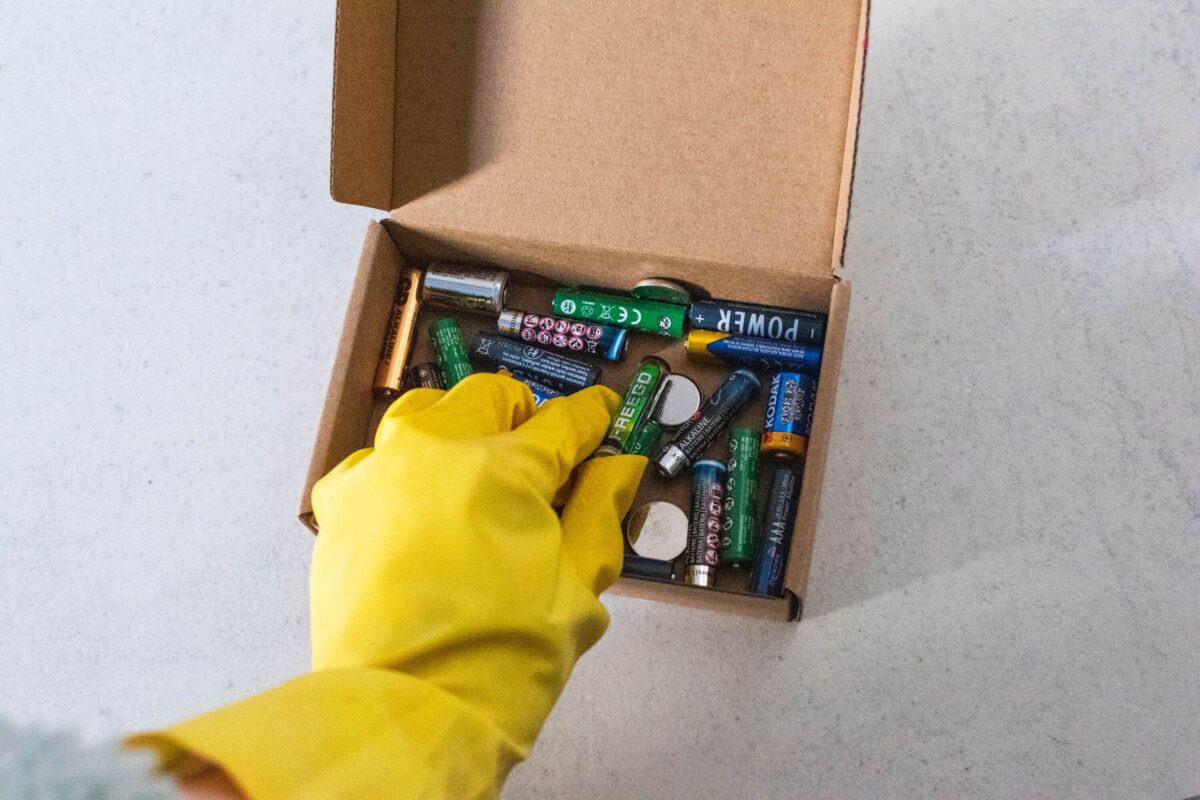
A battery exposed to water can suffer reduced performance, corrosion, electrical faults, and possible failure depending on its design, sealing protection, and exposure time. While some water-resistant and fully sealed batteries can tolerate moisture, prolonged exposure may damage internal components and increase the risk of a short circuit.
Water can affect batteries by causing corrosion, reducing efficiency, and damaging sensitive internal parts. The level of damage depends on the battery type, amount of water exposure, and protection rating.
Understanding what happens if a battery gets wet is important because batteries are used in everyday electronics, vehicles, renewable energy systems, industrial equipment, and marine applications. Although some modern batteries are designed to handle moisture, direct exposure to water can still create problems if it reaches the battery terminals or internal components. Many people ask, ‘what happens if a battery gets wet?’ The guidance below explains common risks and preventive steps.
When a battery comes into contact with water, the effects depend on its construction, protective casing, and the type of liquid involved. A small amount of clean water may only cause surface moisture, while prolonged exposure can lead to corrosion, reduced performance, and electrical damage. Water can also increase electrical conductivity around exposed connections, creating conditions where a short circuit may occur.
Many people assume that all batteries immediately fail when they get wet, but this is not always true. Some batteries can withstand limited exposure because they include protective seals, advanced coatings, or specific designs that prevent moisture from reaching sensitive areas. For example, certain fully sealed batteries and water-resistant models are built to operate in challenging environments where contact with moisture is possible.
However, even protected batteries have limits. A battery submerged in water for an extended period may experience problems that are not immediately visible. Moisture can slowly enter weak points in the casing, damage protective layers, and affect chemical reactions inside the battery.
Lithium batteries require particular attention because they contain sensitive internal components that must remain stable for safe operation. When lithium batteries encounter water, the outcome depends on the battery design, the amount of exposure, and whether the protective housing remains intact. Attempting to recharge a damaged or submerged lithium battery can create additional safety risks.
Different battery technologies also react differently to water exposure. Some LiFePO4 batteries are designed with stronger protection and are commonly used where durability is important, while standard batteries without protective sealing may be more vulnerable in moist environments.
Knowing how water affects batteries helps users identify risks, prevent unnecessary damage, and make safer decisions when handling wet or damaged battery products. Proper maintenance, inspection, and responsible disposal methods can extend battery life while reducing safety concerns.
In situations where batteries can no longer be used safely, professional battery recycling solutions help ensure valuable materials are recovered while damaged batteries are handled correctly.
What Happens When Batteries Are Exposed to Water?
When batteries are exposed to water, the impact depends on the battery design, the level of protection, and how long the battery remains wet. A battery may continue working after brief contact with moisture, but hidden damage can develop over time if water reaches sensitive areas.
The main concern is that water can interfere with the electrical connections inside and outside the battery. The battery terminals are particularly vulnerable because they provide the connection point between the battery and the device it powers. When moisture remains on these areas, it can cause corrosion, weaken the connection, and reduce the battery’s ability to deliver consistent power.
A small amount of water on the outside of a battery does not always mean immediate failure. However, moisture should be removed quickly because prolonged exposure increases the chance of damage. The longer water remains in contact with the battery casing or connection points, the greater the possibility of corrosion and performance issues.
The type of water involved also makes a difference. Fresh water exposure may cause fewer problems compared with salt water because salt increases electrical conductivity. When salt water reaches battery components, it can accelerate corrosion and increase the possibility of electrical faults.
How Moisture Affects Battery Performance
Batteries rely on carefully controlled chemical reactions to produce electrical energy. When moisture enters areas where it should not be present, these reactions can become unstable and reduce the battery’s efficiency.
A wet battery may show several warning signs, including reduced power output, difficulty holding a charge, unusual heat generation, or inconsistent operation. Wet batteries across different chemistries can present similar symptoms. In some cases, the battery may appear normal immediately after getting wet but fail later because moisture has affected areas that are not visible from the outside.
Water exposure can also damage protective materials around the battery. Many modern batteries include coatings, seals, and barriers designed to prevent moisture and dust from reaching sensitive areas. Once these protective layers are compromised, the battery becomes more vulnerable to future exposure.
Batteries designed for harsh conditions often include improved protection systems. For example, some water-resistant batteries are manufactured to operate in locations where moisture is common. However, water resistance does not mean a battery can survive unlimited exposure or complete submersion.
The level of protection is usually determined by the battery’s construction and its degree of protection rating. A higher protection level generally provides better resistance against water and dust, but every battery has operating limits that should be followed.
Damage to Battery Terminals
The battery terminals are one of the first areas affected when a battery comes into contact with water. These metal connection points allow electricity to flow between the battery and the equipment, making them essential for proper operation.
When moisture reaches the terminals, corrosion can begin to form. Corrosion creates a barrier that reduces electrical flow and increases resistance. As a result, devices may receive less power, experience interruptions, or fail to operate correctly.
The problem becomes more serious when batteries are exposed to moisture for extended periods. Prolonged exposure allows corrosion to spread and may affect nearby components connected to the battery system.
Signs of terminal damage may include:
Visible rust or white powdery deposits around connection points
Reduced battery performance
Difficulty starting equipment
Intermittent power supply
Increased heat around terminals
Cleaning surface moisture from terminals may help prevent further damage, but a battery that has absorbed water internally requires more careful evaluation. Attempting to use a severely damaged battery without checking its condition may create safety risks.
How Water Can Damage Internal Components
The outer casing of a battery is designed to protect its internal components, including electrical connections, chemical materials, and protective systems. If water enters the battery, it can interfere with these parts and affect normal operation.
Internal moisture can create several problems. It may damage insulation materials, interfere with electrical pathways, and create unwanted connections between components. These issues can lead to reduced battery capacity or complete failure.
For rechargeable batteries, internal water damage can be especially concerning because the battery must safely control charging and discharging cycles. If protective systems are damaged, the battery may not regulate energy properly.
Lithium-based batteries require additional caution because their internal chemistry is highly sensitive. When lithium batteries get wet, users should avoid testing, charging, or continuing to use them until the condition has been properly assessed.
Even batteries advertised as water resistant may only protect against specific conditions. A battery designed for light moisture exposure may not be suitable for being placed directly in water. Understanding the difference between water resistance and complete waterproof protection helps prevent accidental damage.
Short Circuit Risks After Water Exposure
One of the biggest dangers of placing a battery in water is the possibility of a short circuit. A short circuit occurs when electricity follows an unintended path, which can cause overheating, reduced performance, or permanent battery damage.
Water itself does not always cause a short circuit, but moisture combined with exposed electrical connections can create conditions where unwanted current flow becomes possible. This risk increases when the water contains minerals, chemicals, or salt.
Electrical conductivity plays an important role in this process. Pure water has limited conductivity, but many types of everyday water contain minerals that allow electricity to move more easily. Salt water is especially concerning because it significantly increases conductivity and can speed up corrosion.
If a battery has been completely submerged, users should not assume it is safe simply because it appears dry later. Moisture may remain inside the casing and continue affecting the battery over time.
For safety reasons, damaged batteries should be handled carefully and assessed before reuse. If a battery cannot be safely restored, proper battery recycling services provide a responsible way to manage damaged battery products while supporting material recovery.
What Happens When Lithium Batteries Get Wet?
Lithium batteries are widely used in smartphones, laptops, electric vehicles, solar storage systems, and industrial equipment because they provide high energy capacity and long operating life. However, understanding what happens when lithium batteries get wet is important because their internal design requires protection from unwanted moisture.
When lithium batteries encounter water, the level of risk depends on the battery type, construction quality, sealing system, and length of exposure. A battery with strong protection may survive limited contact with moisture, while a damaged or poorly sealed battery can experience serious internal problems.
Water exposure can affect lithium batteries in several ways. Moisture may reach electrical connections, damage protective circuits, or interfere with the battery’s internal chemical processes. Even when there are no immediate signs of damage, internal corrosion or contamination may develop over time.
Unlike some traditional battery types, lithium batteries contain components that require precise control during charging and discharging. If water affects these systems, the battery may become unstable or unsafe to operate.
A lithium battery that has been exposed to water should be inspected carefully before being used again. Signs of possible damage include swelling, unusual heat, leaking materials, reduced capacity, or failure to charge correctly.
Can You Recharge a Submerged Lithium Battery?
A common question after water exposure is whether it is safe to recharge a submerged lithium battery. In most cases, a lithium battery that has been fully submerged should not be charged until its condition has been properly evaluated.
Charging a battery that has internal moisture damage can increase safety risks. If water has affected protective circuits or internal connections, charging may create excessive heat, electrical faults, or further damage.
The risk is higher when the battery has been exposed to dirty water, chemicals, or salt water. These liquids can leave behind deposits that continue affecting electrical performance even after the battery appears dry.
Some lithium batteries include protective features that help reduce risks from environmental exposure. However, these protections are designed for specific conditions and do not guarantee that a battery will remain safe after complete immersion.
If a lithium battery has been submerged, the safest approach is to stop using it, avoid connecting it to chargers or devices, and seek professional advice. Batteries that are no longer safe to use should be managed through appropriate recycling channels rather than placed in general waste.
How LiFePO4 Batteries Handle Moisture
LiFePO4 batteries (lithium iron phosphate batteries) are known for their durability, stability, and long service life. They are commonly used in solar energy systems, electric vehicles, backup power solutions, and marine applications.
Compared with some other lithium battery types, LiFePO4 batteries often include stronger safety features and improved thermal stability. Many models are designed with protective housings that help reduce the impact of moisture exposure.
However, LiFePO4 batteries are not automatically waterproof. Their ability to handle water depends on their design, sealing quality, and protection rating. A battery intended for outdoor use may tolerate rain or occasional splashes, while another model may require complete protection from moisture.
When used in marine applications or outdoor environments, choosing a battery with an appropriate protection level is essential. A properly protected battery can perform reliably in challenging conditions, but continuous water exposure can still damage seals and allow moisture to reach sensitive areas.
Regular inspection is important, especially for batteries installed in areas exposed to humidity, rain, or changing temperatures. Checking the casing, terminals, and connection points can help identify potential problems before they become serious.
Water Resistant vs Fully Sealed Batteries
Many people confuse the terms water resistant, waterproof, and fully sealed when choosing batteries. These terms describe different levels of protection and should not be treated as identical.
A water-resistant battery is designed to tolerate limited contact with moisture. It may protect against splashes, humidity, or occasional exposure to water, but it may not survive complete immersion.
A fully sealed battery provides stronger protection by reducing the chance of water, dust, and contaminants entering the battery housing. These batteries are often used in environments where reliability is important, including industrial equipment and outdoor systems.
However, even fully sealed batteries have limitations. Seals can weaken over time due to ageing, physical damage, temperature changes, or incorrect installation. Once the protective barrier is compromised, moisture may enter and affect the battery’s internal operation.
Battery protection is often measured using a degree of protection rating, which indicates resistance against dust and water exposure. Understanding this rating helps users select batteries suitable for their specific environment.
For example, batteries used in marine applications require stronger protection because they may experience humidity, splashes, and contact with salt water. Choosing the correct battery design reduces the likelihood of water-related failures.
When Lithium Batteries Encounter Moist Environments
Lithium batteries are frequently used in locations where exposure to moisture is possible. These include outdoor equipment, electric vehicles, boats, renewable energy systems, and industrial machinery.
When lithium batteries encounter moist environments, their performance depends heavily on the quality of their protective design. Batteries with strong sealing and appropriate protection ratings are better prepared for challenging conditions.
However, continuous exposure to humidity or water can gradually affect battery performance. Moisture may weaken protective seals, contribute to corrosion, and reduce the lifespan of electrical connections.
A battery operating in a damp environment should be checked regularly. Users should look for:
Damaged casing or cracks
Corrosion around terminals
Signs of moisture inside the housing
Reduced charging performance
Unexpected power loss
Preventing moisture problems is always safer than attempting to repair water-damaged batteries. Proper installation, protective covers, and suitable battery selection can significantly reduce the chance of failure.
Understanding the Degree of Protection Rating
The degree of protection rating helps explain how well a battery enclosure can protect against outside elements such as dust and water. This rating is especially important for batteries used in outdoor equipment, vehicles, renewable energy systems, and industrial environments.
Many battery products use an IP (Ingress Protection) rating to show their resistance level. The first number relates to protection against solid particles such as dust, while the second number indicates resistance to water. A higher rating generally means the battery has stronger protection against environmental exposure.
However, an IP rating does not mean a battery is completely immune to water damage. A battery designed to resist water splashes may not be suitable for full immersion. Users should always check the manufacturer’s specifications to understand the conditions the battery can safely handle.
For example, a battery installed inside a protected enclosure may have additional defence against moisture and dust compared with a battery exposed directly to outdoor conditions. Proper installation plays an important role in preventing water-related problems.
Selecting the correct protection level is essential when batteries are used in challenging locations. Equipment operating near water, in outdoor areas, or in humid environments requires a design that matches the expected conditions.
Batteries Used in Marine Applications
Batteries used in marine applications often face some of the most demanding environmental conditions. Boats, marine equipment, and offshore systems are regularly exposed to humidity, water splashes, changing temperatures, and salt air.
Because of these conditions, marine batteries are usually designed with additional protection features to improve reliability. These may include sealed casings, corrosion-resistant materials, and protective coatings that reduce the effects of moisture.
Even with these features, marine batteries still require proper maintenance. Salt deposits can build up around connection points, especially near battery terminals, increasing the risk of corrosion and reduced electrical performance.
Salt water is particularly damaging because it contains minerals that increase electrical conductivity. When salt water reaches exposed electrical areas, it can accelerate corrosion and create conditions where a short circuit may occur.
Regular inspections help identify early warning signs, including damaged seals, corrosion marks, loose connections, or moisture around the battery housing. Addressing these issues early can help prevent more serious battery failures.
Fresh Water Exposure Compared with Salt Water Damage
Not all water exposure affects batteries in the same way. Fresh water and salt water can create very different levels of risk depending on the battery design and the amount of exposure.
Fresh water exposure may cause problems if moisture enters the battery casing or reaches electrical connections. However, fresh water generally contains fewer conductive minerals than salt water, meaning the risk of rapid corrosion may be lower.
Salt water creates a more serious challenge because it increases conductivity and speeds up corrosion. When salt water reaches metal components, it can damage connection points and reduce the battery’s ability to function correctly.
A battery exposed to salt water should be treated with extra caution. Even if the outside appears clean after drying, salt residue may remain on internal or external surfaces and continue causing damage.
This is why batteries used near oceans, boats, and coastal environments require stronger protection and regular maintenance. Preventing saltwater exposure is far easier than trying to restore a battery after contamination has occurred.
Effects of Moist Environments on Battery Life
Batteries operating in moist environments may experience gradual performance changes if they are not properly protected. High humidity, condensation, and repeated exposure to moisture can affect battery connections and protective materials over time.
A battery may continue working during the early stages of moisture exposure, but hidden issues can develop slowly. Corrosion, weakened seals, and electrical resistance can reduce efficiency and shorten the battery’s useful lifespan.
The impact becomes greater with prolonged exposure. A battery that remains in damp conditions for weeks or months may experience internal degradation even without being directly submerged.
Common causes of moisture-related battery problems include:
Poor storage conditions
Damaged protective covers
Incorrect installation
Exposure to rain or condensation
Lack of routine inspection
Using protective enclosures and keeping batteries in suitable locations can reduce the risk of moisture damage. Batteries should also be installed according to manufacturer recommendations to maintain their intended protection level.
Can Batteries Withstand Water Exposure?
Whether batteries can withstand water exposure depends on their construction, intended use, and protection rating. Some batteries are designed for environments where occasional moisture is expected, while others require complete protection from water.
Standard household batteries, such as those used in small electronics, generally have limited protection against moisture. If water reaches the internal chemical materials, the battery may leak, lose power, or become unsafe.
Rechargeable batteries often include additional protective systems, but these systems are not designed to eliminate all risks associated with water exposure. A battery may survive light moisture while still being damaged by full immersion.
Modern battery technology continues to improve, with manufacturers developing stronger sealing methods and protective designs. However, no battery should be considered completely unaffected by water unless specifically designed and rated for those conditions.
Understanding the limits of battery protection helps users make safer choices. Whether a battery is used in a vehicle, home energy system, or industrial application, selecting the right design for the environment is essential.
Preventing Water Damage in Outdoor Battery Systems
Outdoor battery installations require careful planning because they are exposed to changing weather conditions. Rain, humidity, temperature changes, and accidental water contact can all affect battery performance.
Protective measures include using suitable battery enclosures, ensuring proper ventilation, keeping connection points clean, and checking for signs of moisture regularly.
Batteries should never be placed directly on wet surfaces or stored in areas where water can collect. Elevating batteries and protecting them from direct rainfall can significantly reduce exposure risks.
For systems such as solar storage units, electric vehicles, and backup power equipment, correct installation is essential. A battery that is suitable for indoor use may not provide enough protection when placed outdoors.
Regular maintenance helps identify problems before they become serious. Checking for corrosion, unusual smells, damaged casing, or reduced performance can help prevent unsafe battery conditions.
Handling Wet or Damaged Batteries Safely
A battery that has been exposed to water should be handled carefully, especially if it shows signs of damage. While some batteries may continue functioning after limited moisture exposure, others may develop hidden faults that make continued use unsafe.
A wet battery should not be ignored simply because it appears normal on the outside. Water may have entered through small gaps, damaged protective layers, or affected internal components without visible warning signs.
Before handling a battery after water exposure, check for signs of possible damage such as:
Swelling or changes in shape
Cracks in the outer casing
Corrosion around the battery terminals
Unusual heat
Strange smells
Reduced charging or operating performance
If a battery has been submerged, particularly in salt water, it should be treated with additional caution. Salt deposits can remain after drying and continue affecting electrical connections. The increased electrical conductivity of salt water may also increase the risk of corrosion and short circuits.
Damaged batteries should not be placed near flammable materials or stored with other batteries. Keeping them isolated in a safe location until they can be assessed helps reduce potential hazards.
Why Water-Damaged Batteries Should Be Recycled Properly
Batteries contain valuable materials that can often be recovered through responsible processing. Throwing damaged batteries into general waste can create environmental risks because battery chemicals and metals may contaminate soil and water if they are not managed correctly.
Water exposure can make batteries more difficult to handle because damage may affect their stability. Proper recycling ensures that batteries are transported, processed, and treated using appropriate safety procedures.
Professional battery recycling solutions help recover useful materials while reducing the environmental impact of discarded batteries. Recycling also supports the circular use of resources by allowing materials such as metals and battery components to be processed for future applications.
This is particularly important as the use of rechargeable batteries continues to grow across industries. Electric vehicles, renewable energy storage, portable electronics, and industrial equipment all depend on effective battery recovery systems.
Responsible Disposal of Lithium Batteries After Water Exposure
Lithium batteries require careful disposal because they contain materials that can react differently depending on their condition. A lithium battery exposed to water should not automatically be considered safe for reuse.
If lithium batteries encounter moisture damage, they may develop problems that are not immediately visible. Internal damage can affect charging performance, energy storage, and overall safety.
A damaged lithium battery should not be:
Instead, damaged batteries should be directed through appropriate recycling channels. Specialist battery recycling services provide safer handling methods for batteries that are no longer suitable for normal use.
Correct disposal helps prevent unnecessary risks while ensuring that battery materials are managed responsibly.
Environmental Impact of Incorrect Battery Disposal
Incorrect battery disposal can have long-term environmental consequences. Batteries contain materials that should be controlled during disposal because they can affect ecosystems when released incorrectly.
When batteries are sent to unsuitable waste streams, they may end up in landfill sites where corrosion and environmental exposure can cause harmful substances to escape over time.
Water-damaged batteries require even greater care because the combination of moisture and damaged materials may increase the chance of leakage or corrosion.
Recycling provides a safer alternative by separating useful materials from hazardous components. This reduces waste, supports resource recovery, and helps create a more sustainable approach to battery management.
As battery usage increases worldwide, responsible recycling becomes increasingly important. Businesses, households, and industries all play a role in ensuring batteries are managed correctly throughout their lifecycle.
How Businesses Can Manage Wet Battery Waste
Businesses that use batteries in large quantities should have clear procedures for dealing with damaged or water-exposed units. This is especially important for industries that rely on backup power systems, electric equipment, or renewable energy storage.
A suitable battery management process should include:
Safe storage of damaged batteries
Regular equipment inspections
Employee awareness training
Correct transportation procedures
Responsible recycling arrangements
Industries operating in demanding environments, including manufacturing, logistics, marine operations, and renewable energy, may encounter batteries exposed to harsh conditions. Having a clear disposal plan reduces risks and improves workplace safety.
Proper battery management also supports environmental responsibilities by ensuring unwanted batteries are handled through suitable recovery processes.
The Importance of Recycling Batteries After Water Damage
Recycling damaged batteries is not only about safety; it also helps conserve natural resources. Many battery materials can be recovered and reused, reducing the need for additional raw material extraction.
As demand for lithium-based batteries continues to increase, effective recycling systems will become increasingly important. Recovering materials from used batteries supports a more sustainable supply chain and reduces environmental pressure.
Whether a battery has reached the end of its useful life or has been damaged by water exposure, responsible recycling provides the safest solution.
How to Protect Batteries from Water Exposure
Preventing water damage is one of the most effective ways to maintain battery performance and extend service life. Although some modern batteries are designed to handle moisture, avoiding unnecessary exposure to water reduces the risk of corrosion, electrical problems, and internal damage.
The best protection method depends on where and how the battery is used. Batteries installed outdoors, in vehicles, or near water sources require stronger protection compared with batteries used in controlled indoor environments.
Using the correct battery enclosure, keeping connection points protected, and following manufacturer guidelines can significantly reduce moisture-related issues. Even a battery with a strong protective design can become vulnerable if its casing is damaged or installed incorrectly.
Batteries should always be positioned away from areas where water can collect. Standing water, condensation, and high humidity can gradually affect battery performance, especially when protection systems become weaker over time.
Choosing the Right Battery for the Environment
Selecting a battery that matches the operating environment is essential. A battery designed for indoor electronics may not provide enough protection for outdoor or industrial use.
For environments where moisture is common, users should consider batteries with suitable sealing, corrosion-resistant materials, and appropriate protection ratings. This is particularly important for equipment used in marine applications, renewable energy systems, and outdoor machinery.
A battery with a higher protection rating may provide better resistance against moisture and dust. However, users should understand that protection levels have limits. A water-resistant battery may handle occasional splashes, but it may not survive being completely submerged.
For demanding applications, LiFePO4 batteries are often selected because of their durability, stable performance, and suitability for systems requiring long-term reliability. However, even these batteries require correct installation and maintenance to prevent water-related issues.
Safe Battery Storage Practices
Proper storage plays an important role in preventing moisture damage. Batteries stored in unsuitable locations may experience condensation, temperature changes, and prolonged exposure to damp conditions.
To reduce risks:
Store batteries in dry, clean areas away from direct rainfall.
Avoid placing batteries on wet floors or surfaces where moisture can build up.
Keep protective covers and seals in good condition.
Inspect stored batteries regularly for corrosion or physical damage.
Avoid storing batteries in areas with excessive humidity.
Batteries that remain unused for long periods should still be checked periodically. Moisture can affect battery components even when the battery is not actively powering equipment.
Good storage practices are especially important for rechargeable batteries because improper conditions can reduce their lifespan and affect future performance.
Maintaining Battery Terminals and Connections
The battery terminals require regular attention because they are directly exposed connection points. Keeping terminals clean and dry helps maintain reliable electrical performance.
Moisture around terminals can encourage corrosion, which increases resistance and reduces the efficiency of electrical connections. Over time, this can lead to poor performance, charging problems, and equipment failure.
Routine maintenance should include checking for:
If corrosion is noticed, the battery should be inspected carefully to determine whether the issue is only external or whether water has affected deeper areas.
Protecting terminals with suitable covers or protective materials can help reduce exposure to moisture, especially in outdoor environments.
Avoiding Prolonged Exposure to Moisture
Short-term contact with water does not always cause immediate failure, but prolonged exposure increases the chance of serious damage. Continuous moisture can weaken seals, affect protective coatings, and allow water to reach sensitive areas.
Batteries installed in humid locations should receive additional monitoring. Moist environments can create conditions where corrosion develops slowly, making problems harder to detect.
Temperature changes can also contribute to moisture issues. When batteries move between hot and cold conditions, condensation may form inside protective housings if ventilation and sealing are not suitable.
Preventing long-term moisture contact is especially important for systems that operate continuously, such as:
A suitable installation environment helps batteries operate safely and efficiently throughout their expected lifespan.
What To Do If a Battery Gets Wet
If a battery accidentally becomes wet, quick action can help reduce potential damage. The correct response depends on the battery type and the amount of exposure.
First, disconnect the battery from any equipment if it can be done safely. Avoid touching damaged areas unnecessarily, especially if there are signs of swelling, leakage, or overheating.
Allowing a battery to dry naturally does not always restore it to safe working condition. Water may remain inside the casing, affecting internal components even after the outside appears dry.
Users should avoid attempting repairs on sealed batteries because opening the casing can create additional risks and damage protective systems.
For rechargeable lithium batteries, extra caution is required. A battery that has been submerged or heavily exposed to moisture should be assessed before any attempt is made to reuse or charge it.
Extending Battery Life Through Proper Care
Battery lifespan depends on many factors, including usage patterns, charging habits, temperature, and environmental conditions. Preventing water exposure is one important part of maintaining long-term performance.
Simple care practices can help batteries last longer:
Keep batteries clean and dry.
Use protective covers when necessary.
Follow correct charging procedures.
Avoid operating batteries outside recommended conditions.
Inspect batteries regularly for signs of damage.
Proper care reduces the chance of unexpected failures and helps maintain reliable performance.
A well-maintained battery is also easier to recycle responsibly when it eventually reaches the end of its useful life.
Understanding what happens if a battery gets wet helps users make safer decisions when dealing with water exposure. While some batteries are designed to handle moisture through protective features such as sealed housings and water-resistant designs, exposure to water can still create problems if it reaches electrical connections or internal components.
The level of damage depends on several factors, including battery type, protection rating, length of exposure, and whether the battery came into contact with fresh water or salt water. Batteries used in challenging environments, including marine applications and outdoor energy systems, require suitable protection and regular maintenance.
Lithium batteries require particular care because water damage can affect sensitive internal systems. A battery that has been submerged or exposed to significant moisture should not be charged or reused without proper evaluation.
Preventing moisture damage through correct storage, maintenance, and installation is the best way to protect battery performance. When a battery is no longer safe to use, responsible recycling provides a safer solution while supporting material recovery and reducing environmental impact.
By understanding battery protection limits and responding correctly after water exposure, users can improve safety, extend battery life, and make more sustainable choices.
 alona
on
July 28, 2026
alona
on
July 28, 2026