Why Does A Phone Battery Drain So Quickly
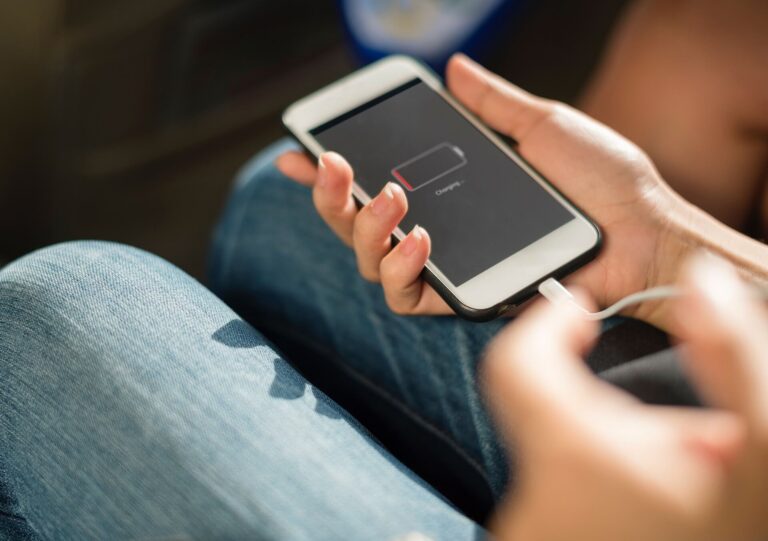
A phone battery drains quickly when apps are running in the background, high screen brightness, location services, poor network coverage, outdated software, and battery ageing increase battery usage. Reducing unnecessary activity, updating the operating system, enabling dark mode, and managing mobile data can help conserve battery life and improve device battery performance.
How Background Activity Increases Battery Drain
Many smartphone users are unaware of how much battery power is consumed by apps running when they are not actively being used. Social media platforms, email applications, cloud storage services, and messaging tools often continue running in the background to sync data and deliver notifications.
This continuous activity increases phone battery drain because the device’s processor, internet connection, and memory remain active. Reviewing individual apps in your battery usage settings can help identify which applications consume the most energy.
For better performance, disable unnecessary background app refresh settings and remove applications you no longer use.
Why Mobile Data Consumes More Battery Than Wi-Fi
Mobile data often requires more battery power than a stable Wi-Fi connection. When signal strength fluctuates, your phone works harder to maintain connectivity with nearby mobile towers.
This issue becomes more noticeable when travelling, commuting, or spending time in areas with poor reception. Frequent searching for a stronger signal increases battery usage throughout the day.
Connecting to Wi-Fi whenever possible can reduce battery consumption and improve overall device efficiency.
How Screen Brightness Affects Battery Performance
Screen brightness remains one of the largest contributors to battery drain. Modern smartphone displays are larger and more powerful than ever, making them one of the most energy-intensive components.
Keeping brightness levels unnecessarily high forces the phone battery to work harder. Lowering brightness settings or enabling adaptive brightness can significantly reduce battery consumption without affecting usability.
Users with OLED displays can benefit further by enabling dark mode, which requires less power to display darker colours.
The Impact of Software Updates on Battery Life
A software update can sometimes temporarily increase battery usage as the operating system indexes files, optimises applications, and completes background processes.
However, regular updates are essential because manufacturers frequently release improvements that enhance battery efficiency, security, and overall performance.
If battery drain begins immediately after an update, allow several days for optimisation to complete before investigating further issues.
How Location Services Reduce Battery Life
Location services rely on GPS satellites, mobile networks, and Wi-Fi connections to determine your position. Constant location tracking can significantly increase battery drain, especially for navigation, fitness, and travel applications.
Reviewing permission settings allows you to restrict location access only when an app is actively in use. This simple adjustment can help conserve battery life without affecting essential functionality.
When Airplane Mode Can Help Save Battery
Airplane mode is not only useful during flights. It can also help reduce battery consumption when network coverage is weak.
In low-signal environments, smartphones repeatedly search for stronger connections, which increases battery usage. Activating airplane mode temporarily stops these searches and can preserve valuable battery power until connectivity improves.
How Battery Health Changes Over Time
Every rechargeable lithium-ion phone battery experiences gradual wear through normal charging and discharging cycles. Over time, the battery’s maximum capacity decreases, reducing the amount of energy it can store.
As battery health declines, users may notice shorter usage times, slower performance, and more frequent charging requirements. Understanding battery health can help determine whether replacement is necessary.
If an old battery no longer performs effectively, responsible battery recycling ensures valuable materials are recovered and reused rather than sent to landfill.
Best Practices for Saving Battery Every Day
Improving battery performance does not require major changes. Small adjustments can significantly reduce battery drain and extend daily usage.
Managing screen brightness, limiting background activity, reviewing battery usage reports, disabling unnecessary notifications, and keeping the operating system updated are among the most effective strategies.
Users who follow these habits consistently often experience improved battery life and better long-term battery health.
What To Do If Your Battery Still Drains Quickly
If you’ve already adjusted settings and continue experiencing excessive battery drain, the issue may be linked to battery degradation, faulty charging accessories, software conflicts, or hardware faults.
Monitoring battery health, testing charging equipment, and reviewing individual apps can help identify the source of the problem. If replacement becomes necessary, professional battery disposal services help ensure batteries are handled safely and sustainably.
Understanding why a phone battery drains quickly is the first step towards improving performance and extending lifespan. Factors such as apps running in the background, screen brightness, location services, mobile data usage, software updates, and battery ageing all contribute to battery drain.
By monitoring battery usage, reducing unnecessary activity, enabling dark mode, managing background app refresh settings, and maintaining good charging habits, users can significantly reduce battery drain and maximise device performance for longer.